Voigtlander Nokton Classic 40mm f1.4 M on Sony A7 Review

As I promised, my delayed review of Voigtlander Nokton Classic 40mm f1.4 M used on Sony Alpha A7. First I’m going to explain some “mysterious” (lots of questions in the internet!) aspects of this lens.

Why 40mm?

So, first of all – why such weird focal length like 40mm, while there are tons of great M-mount 35mm and 50mm lenses? 🙂
I’ve always had problems with “standard” and “wide-standard” focal lengths. Honestly, 50mm feels too narrow. It’s great for neutral upper-body or full-body portraits and shooting in open-door environments, but definitely limiting in interiors and for situational portraits.
In theory, it was supposed to be a “neutral” focal length, similar to human perception of perspective, but is a bit narrower. So why so many 50mm lens and they are considered standard? Historical reasons and optics – they are extremely easy to produce and correct any kinds of optical problems (distortion, aberration, coma etc.) and require less optical elements than other kinds of lenses to achieve great results.
On the other hand, 35mm usually catches too much environment and photos get a bit too “busy”, while it’s still not true wide angle lens for amazing city or landscape shots.
40mm feels just right as a standard lens. Lots of people recommend against 40mm on rangefinders, as Leica and similar don’t have any framings for 40mm. But on digital full frame mirrorless with great performing EVF? No problem!
Still, this is just personal preference. You must decide on your own if you agree, or maybe prefer something different. 🙂 My advice on picking focal lengths is always – spend a week and take many photos in different scenarios using cheap zoom kit lens. Later check the EXIF data and check what kinds of focal lengths you used for the photos you enjoy the most.
Great focal length for daily "neutral" shooting.

Great focal length for daily “neutral” shooting.

What does it mean that this lens is “classic”?

There is lots of bs in the internet about “classic” lens design. Some people imply that it means that lens is “soft in highlights”. Obviously this makes no sense, as sharpness is not a function of brightness – either lens is soft or sharp. It can mean transmittance problems wrongly interpreted, but what’s the truth?
Classic design usually means design of lenses relating to historical designs of earlier XX century. Lenses were designed this way before introduction of complex coating and many low-dispersion / aspherical elements. Therefore, they have relatively lower number of elements – as without modern multi-coating and according to Fresnel law on every contact point between glass and air there was light transmission loss and light got partially reflected. Lack of proper lens coating resulted not only in poor transmission (less light getting to film / camera sensor) and lower contrast, but also in flares and various other artifacts coming from light bouncing inside the camera. Therefore number of optical elements and optical groups was kept a bit lower. With lower number of optical elements it is impossible to fix all lens problems – like coma, aberration, dispersion or even sharpness.
“Classic” lenses were also used with rangefinders that had quite large close-focusing range (usually 1m). All this disadvantages had a good side effect – lenses designed this way were much smaller.
And while Voigtlander Nokton Classic bases on “classic” lens design, it has modern optical element coating, a bit higher number of optical elements and keeps very small size and weight while fixing some of those issues.
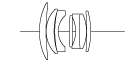
Optical elements - notice how close pieces of glass are together (avoiding glass/air contact)

Optical elements – notice how close pieces of glass are together (avoiding glass/air contact)

What’s the deal with Single / Multi Coating?

I mentioned the effect of lens coating in previous section. For unknown reason, Voigtlander decided to release both truly “classic” version with single, simple coating and multi-coated version. Some websites try to explain it that a) single coating is cheaper b) some contrast and tranmission loss is not that bad when shooting on B&W film c) flaring can be desired effect. I understand this reasoning, but if you shoot anything in color, stick to the multi-coated version – no need to lose any light!
Even with Multi-coating, flaring at night can be a bit strong.

Even with Multi-coating, flaring of light sources at night can be a bit strong. Notice quite strong falloff and small coma in corners.

Lens handling

Love how classic and modern styles work great together on this camera/ lens combination

Love how classic and modern styles work great together on this camera / lens combination

Lens handles amazingly well on Sony A7. With EVF and monitor it’s really easy to focus even at f/1.4 (although takes a couple of days of practicing). Aperture ring and focus ring work super smooth. Size is amazing (so small!) even with adapter – advantage of M-Mount – lenses for M-mount were designed to have small distance to film. Some people mention problems on Sony A7/A7R/A7S with purple coloring on the corners on wider-angle Voigtlander lenses due to grazing angle between light and sensor – fortunately that’s not the case with Nokton 40mm 1.4.
Only disadvantage is that sometimes while eye at EVF i “lose” the focus tab and cannot locate it. Maybe it takes some time to get used to it?
In general, it is very enjoyable and “classic” experience, and it’s fun just to walk around with camera with Nokton 40mm on.

Image quality

I’m not a pixel-peeper and won’t analyze all micro-aspects on crop images or measure. Just conclusions from every day shooting. The lens I have (remember that every lens copy can differ!) is very sharp – has quite decent sharpness even at f/1.4 (although it is extremely easy with only slight movement to lose focus…). Performance is just amazing at night – great lens for wide-opened f/1.4 night photos – you don’t have to pump ISO or fight with long shutter speed – just enjoy photography. 🙂

Pin-sharp with nice, a bit busy bokeh

Pin-sharp at f/1.4 with nice, a bit busy bokeh
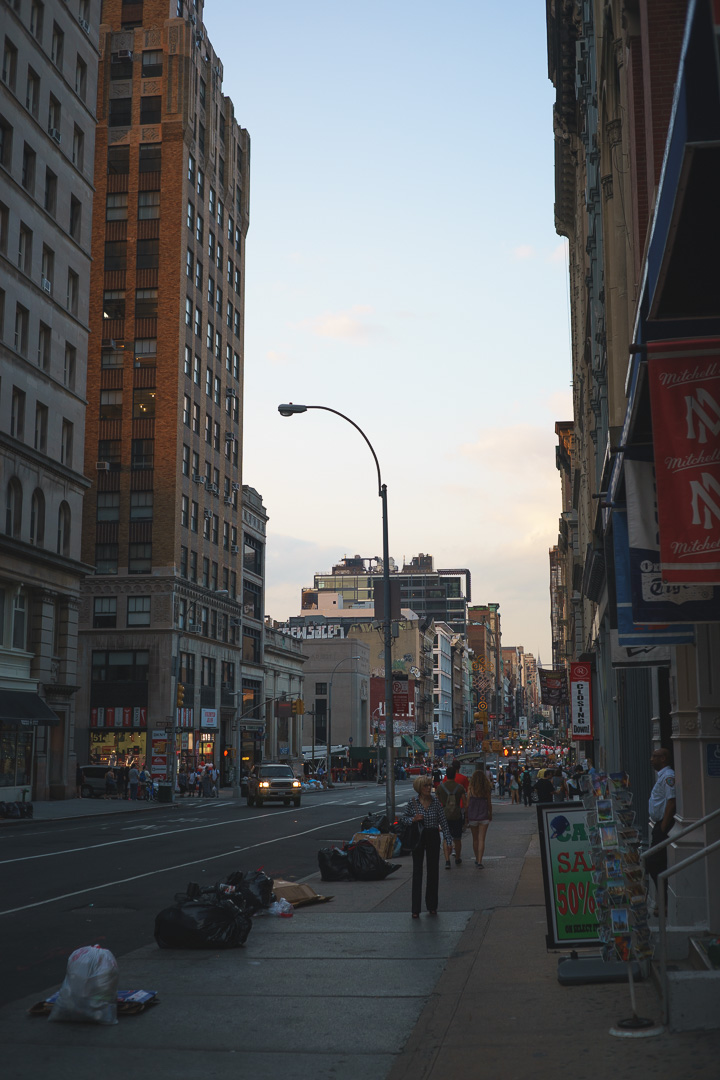
Higher apertures = corner to corner sharpness

Higher apertures = corner to corner sharpness

Bokeh is a bit busy, gets “swirly” and squashed, sometimes can be distracting – but I like it this way. Depends on personal preferences. At f/1.4 with 40mm it can almost melt down the backgrounds. Some people complain about purple fringing (spectrochromatism) of bokeh – something I wrote about in my post about Bokeh scatter DoF. I didn’t notice it on almost any of my pictures, on one I removed it with one click in Lightroom – definitely not that bad.
Bokeh

Bokeh

Even with mediocre adapters can't complain about MF lens handling

At larger apertures bokeh gets quite “swirly”. Still lots of interesting 3D “pop”.

There is definitely some light fall-off at f/1.4 and f/2.0, but I never mind those kind of artifacts. Distortion is negligible in regular shooting – even architecture.
General contrast and micro-contrast is nice and there is this “3D” look to many photos. I really don’t understand complaints and see big difference compared to “modern” designed lenses – but I never used latest Summicron/Summilux so maybe I haven’t seen everything. 😉
Color definition is very neutral – no visible problematic coloring.
Performance is a bit worse in corners – still quite sharp, but some visible coma (squashing of image in plane perpendicular to radius).
Some fall-off and coma in corners. Still pretty amazing night photo - Nokton is truly deserved name.

Some fall-off and coma in corners. Still pretty amazing night photo – Nokton is truly deserved name.

Unfortunately, even with Multi-Coating, there is some flaring at night from very bright light sources. Fortunately I didn’t notice any ghosting that often comes with it.

Disadvantages

So far I have one, biggest problem with this lens – close focus range of 0.7m. It rules out many tricks with perspective on close-ups, any kind of even semi-macro photography (photos of food while at restaurant). While at f/1.4 you could have amazingly shallow DoF and wide bokeh, that’s not the case here, as you cannot set focus closer…  It can even be problematic for half-portraits. Big limitation and pity, otherwise the lens would be perfect for me – but on the other hand such focus range contributes to smaller lens size. As always – you cannot have only advantages (quality, size&weight, aperture and in this case close-focus range). Some Leica M-lenses have focus range of 1m – I don’t imagine shooting with such lenses…

Recommendations

Do I recommend this lens? Oh yes! Definitely great buy for any classic photography lover. You can use it on your film rangefinder (especially if you own Voigtlander Bessa) and on most of digital mirrorless camera. Great image quality, super pleasant handling, acceptable price – if you like 40mm and fast primes, then it’s your only option. 🙂
DSC00331
DSC00270
DSC00292
DSC00226
Posted in Travel / Photography | Tagged , , , , , , , , , , , | 15 Comments

Poisson disk/square sampling generator for rendering

I have just submitted onto GitHub small new script – Poisson-like distribution sampling generator suited for various typical rendering scenarios.

Unlike other small generators available it supports many sampling patterns – disk, disk with a central tap, square, repeating grid.

It outputs ready-to-use (and C&P) patterns for both hlsl and C++ code. It plots pattern on very simple graphs.

Generated sequence has properties of maximizing distance for every next point from previous points in sequence. Therefore you can use partial sequences (for example only half or a few samples based on branching) and have proper sampling function variance. It could be useful for various importance sampling and temporal refinement scenarios. Or for your DoF (branching on CoC).

Edit: I added also an option to optimize sequences for cache locality. It is very estimate, but should work for very large sequences on large sampling areas.

Usage

Just edit the options and execute script: “python poisson.py“. 🙂

Options

Options are edited in code (I use it in Sublime Text and always launch as script, so sorry – no commandline parsing) and are self-describing.

# user defined options
disk = False # this parameter defines if we look for Poisson-like distribution on a disk (center at 0, radius 1) or in a square (0-1 on x and y)
squareRepeatPattern = True # this parameter defines if we look for "repeating" pattern so if we should maximize distances also with pattern repetitions
num_points = 25 # number of points we are looking for
num_iterations = 16 # number of iterations in which we take average minimum squared distances between points and try to maximize them
first_point_zero = disk # should be first point zero (useful if we already have such sample) or random
iterations_per_point = 64 # iterations per point trying to look for a new point with larger distance
sorting_buckets = 0         # if this option is > 0, then sequence will be optimized for tiled cache locality in n x n tiles (x followed by y) 

Requirements

This simple script requires some scientific Python environment like Anaconda or WinPython. Tested with Anaconda.

Have fun sampling! 🙂

Posted in Code / Graphics | Tagged , , , , , , , , | Leave a comment

Sony A7 review

Introduction

This is a new post for one of my favourite “off-topic” subjects – photography. I just recently (under 2 weeks ago) bought Sony A7 and wanted to share some my first impressions and write a mini review.

Why did I buy a new piece of photo hardware? Well, my main digital camera since 3-4 years was Fuji FinePix X100. I also owned some Nikon 35mm/FF DSLRs, but since my D700 (that I bought used cheaply with already big shutter counter value) got broken beyond repair I bought D600, I almost didn’t use Nikon gear. D600 is a terrible camera with broken AF, wrong metering (exposes +/- 1EV at random, lots of PP at home) and tons of other problems and honestly – I wouldn’t recommend it to anyone and I don’t use it anymore.

With Fuji X100 I share hate & love relationship. It has lots of advantages. Great image quality for such tiny size and APS-C sensor. It is very small, looks like a toy camera (serious advantage if you want to travel into not really safe areas or simply don’t want to attract too much attention, just enjoy taking photos). Bright f/2.0 lens and interesting focal length (one good photographer friend of mine told me once that there are no interesting photos taken with focal lengths of more than 50mm and while it was supposed to be a joke, I hope you can get the point). Finally nice small built-in flash and excellent fill light flash mode working great with leaf shutter and short sync times – it literally saved thousands of portraits in bright sunlight and other holiday photos. On the other hand, it is slow, has lots of quirks in usage (why do I need to switch to macro mode to take a regular situational portrait?!), slow and inaccurate AF (need to try to take a photo couple times, especially in low light…), it’s not pin-sharp and fixed 35mm focal length equivalent can be quite limiting – too wide for standard shooting, too narrow for wide angle shots.

Since at least a year I was looking around for alternatives / some additional gear and couldn’t find anything interesting enough. I looked into Fuji X100s – but simply a bit better AF and sensor wouldn’t justify such big expense + software has problems with X-Trans sensor pixel color reconstruction. I read a lot about Fuji X-series mirror-less system, but going into a new system and buying all the new lenses is a big commitment – especially on APS-C. Finally quite recent option is Sony RX-1. It seemed very interesting, but Angelo Pesce described it quite well – it’s a toy (NO OVF/EVF???).

Sony A7/A7R and recent A7S looked like interesting alternatives and something that would compete with famous Leica so I looked into it and after couple weeks of research I decided to buy the cheapest and most basic one – A7 with the kit lens. What do I need kit lens for? Well, to take photos. I knew that its IQ wouldn’t be perfect, but it’s cheap, not very heavy and it’s convenient to have one just in case – especially until having completed your target lens set. After few days of extensive use (a weekend trip to NYC, yay!) I feel like writing a mini review of it, so here we go!

Hero of this report - no, not me! Sony A7 :)

Hero of this report – no, not me & sunburn! Sony A7 🙂 Tiny and works great.

I tested it with the kit lens (Sony FE 28-70mm f/3.5-5.6 OSS), Nikkor 50mm 1.4D and Voigtlander Nokton 40mm 1.4.

DSC00353

What I like about it

Size and look

This one is pretty obvious. Full-frame 35mm camera sized smaller than many mirrorless APS-C or famous Leica cameras! Very light, so I just throw it in a bag or backpack. My neck doesn’t hurt even after whole day of photo shooting. Discrete when doing street photography. Nice style that is kind of blend between modern and retro cameras. Especially with M-mount lenses on – classic look and compact size. Really hard to beat in this area. 🙂

Love how classic and modern styles work great together on this camera

Love how classic and modern styles work great together on this camera

Image quality

Its full-frame sensor has amazing dynamic range on low ISOs. 24MP resolution – way too much for anyone except for pros taking shots for printing on billboards, but useful for cropping or reducing high-ISO noise when downsizing. Very nice built-in color profiles and aesthetic color reproduction – I like them much better than Adobe Lightroom ones. I hope I don’t sound like audiophiles, but you really should be able to see the effect of full-frame and large pixel size on the IQ – like there is “medium-format look” even with mediocre scans, I believe there is “full-frame look” better than APS-C or Micro 4/3.

Subtle HDR from a single photo? No problem with Sony A7 dynamic range!

Subtle HDR from a single photo? No problem with Sony A7 dynamic range.

IQ and amount of detail is amazing  - even on MF, shot with Voigtlander Nokton 40mm f 1.4

IQ and amount of detail is amazing – even on MF, shot with Voigtlander Nokton 40mm f 1.4

EVF and back display

Surprisingly pleasant in use, high resolution and dynamic range and fast. I was used to Fuji X100 laggy EVF (still useful at night or when doing precise composition) and on Sony A7 I feel huge difference. Switches between EVF and back display quite quickly and eye sensor works nice. Back display can be tilted and I used it already couple times (photos near the ground or above my head), a nice feature to have.

Manual focusing and compatibility with other lenses

This single advantage is really fantastic and I would buy this camera just because of that. Plugging in Voigtlander or Nikon lenses was super easy, camera automatically switched into manual focus mode and operated very well. Focusing with magnification and focus-assist is super easy and really pleasant. It feels like all those old manual cameras, same pleasure of slowly composing, focusing, taking your time and enjoying photography – but much more precise. With EVF and DoF preview always on you constantly think about DoF and its effect on composition, what will be sharp etc. To be honest, I never took so sharp and photos in my life – almost none deleted afterwards. So you spend more time on photo taking (it may be not acceptable for your friends or strangers asked to take a photo of you), but much less in post-processing and selection – again, kind of back to photography roots.

My wife photo shot using Nikkor 50mm f/1.4D - no AF gave me such precise results...

Photo of my wife. It was photo shot using Nikkor 50mm f/1.4D and MF – no AF ever gave me so precise results…

I like the composition and focus in this photo - shot using manual focus on Nikkor 50mm 1.4D

I like the composition and focus in this photo – shot using manual focus on Nikkor 50mm 1.4D

Quality of kit lens and image stabilization

I won’t write any detailed review of the kit lens – but it’s acceptably sharp, nice micro-contrast and color reproduction, you can correct distortion and vignetting easily in Lightroom and it’s easy to take great low-light photos with relatively longer exposure times due to very good image stabilization. AF is usually accurate. While I don’t intend to use this lens a lot, I have much more fun with primes, I will keep it in my bag for sure and it proves itself useful. Only downside is size (zoom FF lenses cannot be tiny…) – because it is surprisingly light!

Hand held photo taken using lens kit at night - no camera shake!

Hand held photo taken using lens kit at night – no camera shake!

Speed and handling

Again probably I feel so good about Sony A7 speed and handling because of moving from Fuji X100 – but ergonomics are great, it is fast to use and reacts quickly. Only disadvantage is how long it takes default photo preview and EVF showing image feed again – 2s is minimum time to select from a menu – way too long for me. There are tons of buttons configured very wisely by default – changing ISO or exposure compensation without taking your eye off the camera is easy.

Various additional modes

Pro photographer probably doesn’t need any panorama mode, or night mode that automatically combines many frames to decrease noise / camera shake / blur, but I’m not a pro photographer and I like those features – especially panoramas. Super easy to take, decent quality and no need to spend hours post-processing or relying on stitch apps!

In-camera panorama image

In-camera panorama image

What I don’t like

Current native lenses available

Current native FE (“full frame E-mount”) lens line-up is a joke. Apart from kit lens there are only 2 primes (why 35mm is only f/2.8 when so big?) and 2 zoom lenses – all definitely over-priced and too large. L There are some Samyang/Rokinon manual focus lenses available (I played a bit with 14mm 2.8 on Nikon and it was cheap and good quality – but way too large). There are rumors of many first and third party (Zeiss, Sigma, maybe Voigtlander) lenses to be announced at Photokina so we will see. For now one has to rely on adapters and manual focusing.

Lack of built-in or small external flash

A big problem for me. I very often use flash as fill light and here it’s not possible. L Smallest Sony flash HVL-F20AM is currently not available (and not so small anyway).

Not too bad photo - but would have been much better with some fill light from a flash...

Not too bad photo – but would have been much better with some fill light from a flash… (ok, I know – would be difficult to sync without ND filters / leaf shutter 🙂 )

What could be better but is not so bad

Accessories

System is very young so I expect things to improve – but currently availability of first or third party accessories (flashes, cases, screen protectors etc.) is way worse than for example Fuji X-series system. I hope things to change in the next months.

Not the best low light behavior

Well, maybe I’m picky and expected too much as I take tons of night photos and couple years ago it was one of the reasons I wanted to buy a full-frame camera. 🙂 But for a 2014 camera A7 high ISO quality degradation of detail (even in RAW files! they are not “true” RAW sensor feed…), color and dynamic range is a bit too high. A7S is much better in this area. Also the AF behavior is not perfect in low light…

Photo taken at night with Nikkor 50mm and f/1.4 - not too bad, but some grain visible and detail lost

Photo taken at night with Nikkor 50mm and f/1.4 – not too bad, but some grain visible and detail loss

Not best lens adapters

The adapters I have for Nikon and M-mount are OK. Their built quality seems acceptable and I didn’t see any problems yet. But they are expensive – 50-200 dolars for a piece of metal/plastic? It would be also nice to have some information in EXIF – for example option to manually specify set focal length or detect aperture? Also Nikon/Sony A-mount/Canon adapters are too big (they cannot be smaller due to design of the lens – focal plane distance must match DSLRs) – what’s the point of having small camera with big, unbalanced lenses?

Even with mediocre adapters can't complain about MF lens handling

Even with mediocre adapters can’t complain about MF lens handling and IQ

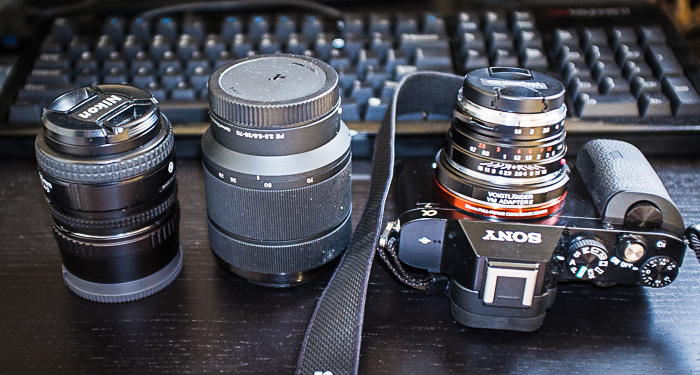
Kit zoom and tiny Nikkor 50mm 1.4D with adapter are too big... M-mount adapter and Voigtlander lens are much smaller and more useful.

Kit zoom and tiny Nikkor 50mm 1.4D with adapter are too big… M-mount adapter and Voigtlander lens are much smaller and more useful.

Photo preview mode

I don’t really like how magnification button is placed and that by default it magnifies a lot (to 100% image crop level). I didn’t see any setting to change it – I would expect progressive magnification and better button placement like on Nikon camera.

Wifi pairing with mobile

I don’t think I will use it a lot – but sometimes it could be cool for remote control. In such case I tried to set it up and it took me 5mins or so to figure it out – definitely not something to do when willing to take a single nice photo with your camera placed on a bench at night.


What’s next?

In the next couple days (hopefully before the Siggraph as after I have a lot more to write!) I promise I will add in separate posts:

  • More sample photos from my NYC trip
  • Voigtlander Nokton 40mm f/1.4 mini review – I’m really excited about this lens and it definitely deserves a separate review!

So stay tuned!

Posted in Travel / Photography | Tagged , , , , , , , , , , , | 2 Comments

Hair rendering trick(s)

I didn’t really plan to write this post as I’m quite busy preparing for Siggraph and enjoying awesome Montreal summer, but after 3 similar discussion with friends developers I realized that the simple hair rendering trick I used during the prototyping stage at CD Projekt Red for Witcher 3 and Cyberpunk 2077 (I have no idea if guys kept that though) is worth sharing as it’s not really obvious. It’s not about hair simulation or content authoring, I’m not really competent to talk about those subjects and it’s really well covered in AMD Tress FX or nVidia HairWorks (plus I know that lots of game rendering engineers work on that topic as well), so check them out if you need awesome looking hair in your game. The trick I’m going to cover is to improve quality of typical alpha-tested meshes used in deferred engines. Sorry, but no images in this post though!

Hair rendering problems

There are usually two problems associated with hair rendering that lot of games and game engines (especially deferred renderers) struggle with.

  1. Material shading
  2. Aliasing and lack of transparency

First problem is quite obvious – hair shading and material. Using standard Lambertian diffuse and Blinn/Blinn-Phong/microfacet specular models you can’t get proper looks of hair, you need some hair specific and strongly anisotropic model. Some engines try to hack some hair properties into the G-Buffer and use branching / material IDs to handle it, but as recently John Hable wrote in his great post about needs for forward shading – it’s difficult to get hair right fitting those properties into G-Buffer.

I’m also quite focused on performance, love low-level and analyzing assembly and it just hurts me to see branches and tons of additional instructions (sometimes up to hundreds…) and registers used to branch for various materials in the typical deferred shading shader. I agree that the performance impact can be not really significant compared to bandwidth usage on fat GBuffers and complex lighting models, but still it’s the cost that you pay for whole screen even though hair pixels don’t occupy too much of the screen area.

One of tricks we used on The Witcher 2 was faking hair specular using only dominant light direction + per character cube-maps and applying it as “emissive” mesh lighting part. It worked ok only because of really great artists authoring those shaders and cube-maps, but I wouldn’t say it is an acceptable solution for any truly next-gen game.

Therefore hair really needs forward shading – but how to do it efficiently and not pay the usual overdraw cost and combine it with deferred shading?

Aliasing problem.

A nightmare of anyone using alpha-tested quads or meshes with hair strands for hair. Lots of games can look just terrible because of this hair aliasing (the same applies for foliage like grass). Epic proposed to fix it by using MSAA, but this definitely increases the rendering cost and doesn’t solve all the issues. I tried to do it using alpha-to-coverage as well, but the result was simply ugly.

Far Cry 3 and some other games used screen-space blur on hair strands along the hair tangenta and it can improve the quality a lot, but usually end parts of hair strands either still alias or bleed some background onto hair (or the other way around) in non-realistic manner.

Obvious solution here is again to use forward shading and transparency, but then we will face other family of problems: overdraw, composition with transparents and problems with transparency sorting. Again, AMD Tress FX solved it completely by using order-independent transparency algorithms on just hair, but the cost and effort to implement it can be too much for many games.

Proposed solution

The solution I tried and played with is quite similar to what Crytek described that they tried in their GDC 2014 presentation. I guess we prototyped it independently in similar time frame (mid-2012?). Crytek presentation didn’t dig too much into details, so I don’t know how much it overlaps, but the core idea is the same. Another good reference is this old presentation from Scheuermann from ATI at GDC 2004! Their technique was different and based only on forward shading pipeline, not aimed to combined with deferred shading – but the main principle of multi pass hair rendering and treating transparents and opaque parts separately is quite similar. Thing worth noting is that with DX11 and modern GPU based forward lighting techniques it became possible to do it much easier. 🙂

Proposed solution is a hybrid of deferred and forward rendering techniques to solve some problems with it. It is aimed for engines that still rely on hair alpha tested stripes for hair rendering, have fluent alpha transition in the textures, but still most of hair strands are solid, not transparent and definitely not sub-pixel (then forget about it and hope you have the perf to do MSAA and even supersampling…). You also need to have some form of forward shading in your engine, but I believe that’s the only way to go for the next gen… Forward+/clustered shading is a must for material variety and properly lit transparency – even in mainly deferred rendering engines. I really believe in advantages of combining deferred and forward shading for different rendering scenarios within a single rendering pipeline.

Let me describe first proposed steps:

  1. Render your hair with full specular occlusion / zero specularity. Do alpha testing in your shaders with value Aref close to 1.0. (Artist tweakable).
  2. Do your deferred lighting passes.
  3. Render forward pass of hair speculars with no alpha blending, z testing set to “equal”. Do the alpha testing exactly like in step 1.
  4. Render forward pass of hair specular and albedo for hair transparent part with alpha blending (scaled from 0 to Aref to 0-1 range), inverse alpha test (1-Aref) and regular depth test.

This algorithm assumes that you use regular Lambertian hair diffuse model. You can easily swap it, feel free to modify point 1 and 3 and first draw black albedo into G-Buffer and add the different diffuse model in step 3.

 Advantages and disadvantages

There are lots of advantages of this trick/algorithm – even with non-obvious hair mesh topologies I didn’t see any problems with alpha sorting – because alpha blended areas are small and usually on top of solid geometry. Also because most of the rendered hair geometry writes depth values it works ok with particles and other transparents. You avoid hacking of your lighting shaders, branching and hardcore VGPR counts. You have smooth and aliasing-free results and a proper, any shading model (not needing to pack material properties). It also avoids any excessive forward shading overdraw (z-testing set to equal and later regular depth testing on almost complete scene). While there are multiple passes, not all of them need to read all the textures (for example no need to re-read albedo after point 1 and G-Buffer pass can use some other normal map and no need to read specular /gloss mask). The performance numbers I had were really good – as hair covers usually very small part of the screen except for cutscenes – and proposed solution meant zero overhead/additional cost on regular mesh rendering or lighting.

Obviously, there are some disadvantages. First of all, there are 3 geometry passes for hair (one could get them to 2, combining points 3 and 4, but getting rid of some of advantages). It can be too much, especially if using some spline/tessellation based very complex hair – but this is simply not an algorithm for such cases, they really do need some more complex solutions… Again, see Tress FX. There can be a problem of lack of alpha blending sorting and later problems with combining with particles – but it depends a lot on the mesh topology and how much of it is alpha blended. Finally, so many passes complicate renderer pipeline and debugging can be problematic as well.


Bonus hack for skin subsurface scattering

As a bonus description how in a very similar manner we hacked skin shading in The Witcher 2.

We couldn’t really separate our speculars from diffuse into 2 buffers (already way too many local lights and big lighting cost, increasing BW on those passes wouldn’t help for sure). We didn’t have ANY forward shading in Red Engine at the time as well! For skin shading I really wanted to do SSS without blurring neither albedo textures nor speculars. Therefore I came up with following “hacked” pipeline.

  1. Render skin texture with white albedo and zero specularity into G-Buffer.
  2. During lighting passes always write specular not modulated by specular color and material properties into the alpha channel (separate blending) of lighting buffer.
  3. After all lights we had diffuse response in RGB and specular response in A – only for skin.
  4. Do a typical bilateral separable screen space blur (Jimenez) on skin stencil-masked pixels. For masking skin I remember trying both 1 bit from G-Buffer or “hacking” test for zero specularity/white albedo in the G-Buffer – both worked well, don’t remember which version we shipped though.
  5. Render skin meshes again – multiplying RGB from blurred lighting pixels by albedo and adding specularity times the specular intensity.

The main disadvantage of this technique is losing all specular color from lighting (especially visible in dungeons), but AFAIK there was a global, per-environment artist specified specular color multiplier value for skin. A hack, but it worked. Second, smaller disadvantage was higher cost of SSS blur passes (more surfaces to read to mask the skin).

In more modern engines and current hardware I honestly wouldn’t bother, do separate lighting buffers for diffuse and specular responses instead, but I hope it can inspire someone to creatively hack their lighting passes. 🙂

References

[1] http://www.filmicworlds.com/2014/05/31/materials-that-need-forward-shading/

[2] http://udn.epicgames.com/Three/rsrc/Three/DirectX11Rendering/MartinM_GDC11_DX11_presentation.pdf

[3] http://www.crytek.com/download/2014_03_25_CRYENGINE_GDC_Schultz.pdf

[4] http://developer.amd.com/tools-and-sdks/graphics-development/graphics-development-sdks/amd-radeon-sdk/

[5] https://developer.nvidia.com/hairworks 

[6] “Forward+: Bringing Deferred Lighting to the Next Level” Takahiro Harada, Jay McKee, and Jason C.Yang https://diglib.eg.org/EG/DL/conf/EG2012/short/005-008.pdf.abstract.pdf

[7] “Clustered deferred and forward shading”, Ola Olsson, Markus Billeter, and Ulf Assarsson http://www.cse.chalmers.se/~uffe/clustered_shading_preprint.pdf

[8] “Screen-Space Perceptual Rendering of Human Skin“, Jorge Jimenez, Veronica Sundstedt, Diego Gutierrez

[9] “Hair Rendering and Shading“, Thorsten Scheuermann, GDC 2004

Posted in Code / Graphics | Tagged , , , , , | 7 Comments

C#/.NET graphics framework on GitHub + updates

As I promised I posted my C#/.NET graphics framework (more about it and motivation behind it here) on GitHub: https://github.com/bartwronski/CSharpRenderer

This is my first GitHub submit ever and my first experience with Git, so there is possibility I didn’t do something properly – thanks for your understanding!

List of changes since initial release is quite big, tons of cleanup + some crashfixes in previously untested conditions, plus some features:

Easy render target management

I added helper functions to manage lifetime of render targets and allow render target re-use. Using render target “descriptors” and RenderTargetManager you request a texture with all RT and shader resource views and it is returned from a pool of available surfaces – or lazily allocated when no surface fitting given descriptor is available. It allows to save some GPU memory and makes sure that code is 100% safe when changing configurations – no NULL pointers when enabling not enabled previously code paths or adding new ones etc.

I also added very simple “temporal” surface manager – that for every surface created with it stores N different physical textures for requested N frames. All temporal surface pointers are updated automatically at beginning of a new frame. This way you don’t need to hold states or ping-pong in your rendering passes code and code becomes much easier to follow eg.:

RenderTargetSet motionVectorsSurface = TemporalSurfaceManager.GetRenderTargetCurrent("MotionVectors");
RenderTargetSet motionVectorsSurfacePrevious = TemporalSurfaceManager.GetRenderTargetHistory("MotionVectors");
m_ResolveMotionVectorsPass.ExecutePass(context, motionVectorsSurface, currentFrameMainBuffer);

Cubemap rendering, texture arrays, multiple render target views

Nothing super interesting, but allows to much more easily experiment with algorithms like GI (see following point). In my backlog there is a task to add support for geometry shader and instancing for amplification of data for cubemaps (with proper culling etc.) that should speed it up by order of magnitude, but wasn’t my highest priority.

Improved lighting – GI baker, SSAO

I added 2 elements: temporally supersampled SSAO and simple pre-baked global illumination + fully GPU-based naive GI baker. When adding those passes I was able to really stress my framework and check if it works as it is supposed to – and I can confirm that adding new passes was extremely quick and iteration times were close to zero – whole GI baker took me just one evening to write.

csharprenderer_withgi

GI is stored in very low resolution, currently uncompressed volume textures – 3 1MB R16 RGBA surfaces storing incoming flux in 2nd order SH (not preconvolved with cosine lobe – not irradiance). There are some artifacts due to low resolution of volume (64 x 32 x 64), but for cost of 3MB for such scene I guess it’s good enough. 🙂

It is calculated by doing cubemap capture at every 3d grid voxel, calcularing irradiance for every texel and projecting it onto SH. I made sure (or I hope so! 😉 but seems to converge properly) it is energy conserving, so N-bounce GI is achieved by simply feeding previous N-1 bounce results into GI baker and re-baking the irradiance. I simplified it (plus improved baking times – converges close to asymptotic value faster) even a bit more, as baker uses partial results, but with N -> oo it should converge to the same value and be unbiased.

It contains “sky” ambient lighting pre-baked as well, but I will probably split those terms and store separately, quite possibly at a different storage resolution. This way I could simply “normalize” the flux and make it independent of sun / sky color and intensity. (it could be calculated in the runtime). There are tons of other simple improvements (compressing textures, storing luma/chroma separately in different order SH, optimizing baker etc) and I plan to gradually add them, but for now the image quality is very good (as for something without normalmaps and speculars yet 😉 ).

Improved image quality – tone-mapping, temporal AA, FXAA

Again nothing that is super-interesting, rather extremely simple and usually unoptimal code just to help debugging other algorithms (and make their presentation easier). Again adding such features was matter of minutes and I can confirm that my framework succeeds so far in its design goal.

Constant buffer constants scripting

A feature that I’m not 100% happy with.

For me when working with almost anything in games – from programming graphics and shaders through materials/effects to gameplay scripting the biggest problem is finding proper boundaries between data and code. Where splitting point should be? Should code drive data, or the other way around. From multiple engines I have worked on (RedEngine, Anvil/scimitar, Dunia plus some very small experience just to familiarize myself with CryEngine, UnrealEngine 3, Unity3D) in every engine it was in a different place.

Coming back to shaders, usually tedious task is putting some stuff on the engine side in code, and some in the actual shaders while both parts must mach 100%. It not only makes it more difficult to modify some of such stuff, adding new properties, but also harder to read and follow code to understand the algorithms as it is split between multiple files not necessarily by functionality, but for example performance (eg. precalculate stuff on CPU and put into constants).

Therefore my final goal would be to have one meta shader language and using some meta decorators specify frequency of every code part – for example one part should be executed per frame, other per viewport, other per mesh, per vertex, per pixel etc. I want to go in this direction, but didn’t want to get myself into writing parsers and lexers and temporarily I used LUA (as extremely fast to integrate and quite decently performing).

Example would be one of my constant buffer definitions:

cbuffer PostEffects : register(b3)
{
 /// Bokeh
 float cocScale; // Scripted
 float cocBias; // Scripted
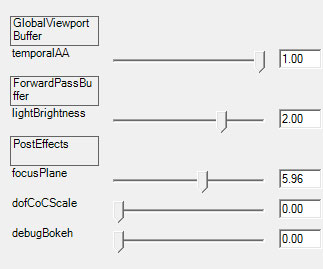
 float focusPlane; // Param, Default: 2.0, Range:0.0-10.0, Linear
 float dofCoCScale; // Param, Default: 0.0, Range:0.0-32.0, Linear
 float debugBokeh; // Param, Default: 0.0, Range:0.0-1.0, Linear
 /* BEGINSCRIPT
 focusPlaneShifted = focusPlane + zNear
 cameraCoCScale = dofCoCScale * screenSize_y / 720.0 -- depends on focal length & aperture, rescale it to screen res
 cocBias = cameraCoCScale * (1.0 - focusPlaneShifted / zNear)
 cocScale = cameraCoCScale * focusPlaneShifted * (zFar - zNear) / (zFar * zNear)
 ENDSCRIPT */
};

We can see that 2 constant buffer properties are scripted – there is zero code on C# side that would calculate it like this, instead a LUA script is executed every frame when we “compile” constant buffer for use by the GPU.

UI grouping by constant buffer

Simple change to improve readability of UI. Right now the UI code is the most temporary, messy part and I will change it completely for sure, but for the time being I focused on the use of it.

constant_buffer_grouping

Further hot-swap improvements

Right now everything in shader files and related to shaders is hot-swappable – constant buffer definitions, includes, constant scripts. Right now I can’t imagine working without it, definitely helps iterating faster.

Known issues / requirements

I was testing only x64 version, 32 bit could be not configured properly and for sure is lacking proper dll versions.

One known issue (checked on a different machine with Windows 7 / x64 / VS2010) is runtime exception complaining about lack of “lua52.dll” – it is probably caused by lack of Visual Studio 2012+ runtime.

Future plans

While I update stuff every week/day in my local repo, I don’t plan to do any public commits (except for something either cosmetic, or serious bug/crash fix) till probably late August. I will be busy preparing for my Siggraph 2014 talk and plan to release source code for the talk using this framework as well.

Posted in Code / Graphics | Tagged , , , , , | Leave a comment

Coming back to film photography

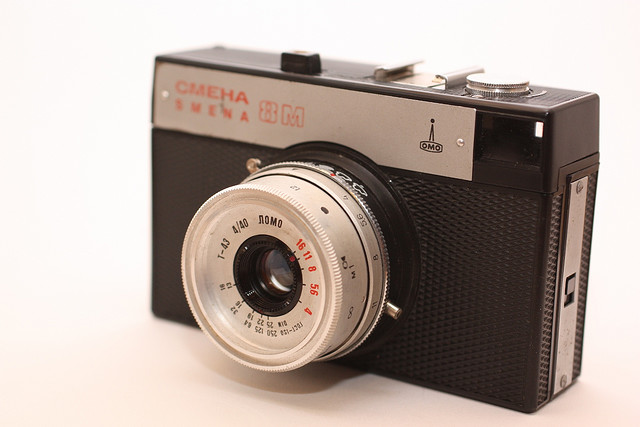
Yeah, finally I managed to go back to my past-time favourite hobby – film/analog photography that I started when I was 10 years old with following camera:

Lomo_smena_8m

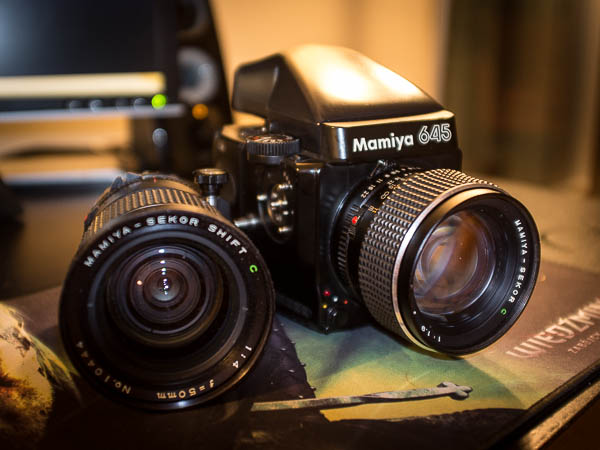
Now I’m a bit older and my photo gear has changed as well (but I really miss this camera!). 🙂 So I’m using at the moment:

DSCF0714

Why film and not digital? Don’t get me wrong. I love digital photography for its quality, ease of use and possibility to document events and reality. It’s also very convenient on holiday (especially something small like my Fuji X100). However, lots of people (including me) find it easier to take more “artistic”/better aesthetic quality photos when working with film, especially on medium format – just due to the fact that you have 10, 12 or 15 (depending if it’s 645, 6×6 or 6×7) photos you think about every shot, composition and try to make best ones. Also shooting B&W is quite interesting challenge, as we are easily attracted to colors and shoot photos based on them, while in B&W it’s impossible and you have to look for interesting patterns, geometric elements, surface of objects and relations between them. Interesting way to try to “rewire” your brain and sense of aesthetics and learn a new skill.

Finally, developing your own film by yourself is amazing experience – you spend an hour in the darkroom, fully relaxed carefully treat film and obey all the rules and still you don’t know what will be the outcome, maybe no photo will be good at all. Great and relaxing experience for all OCD programmer guys. 😉


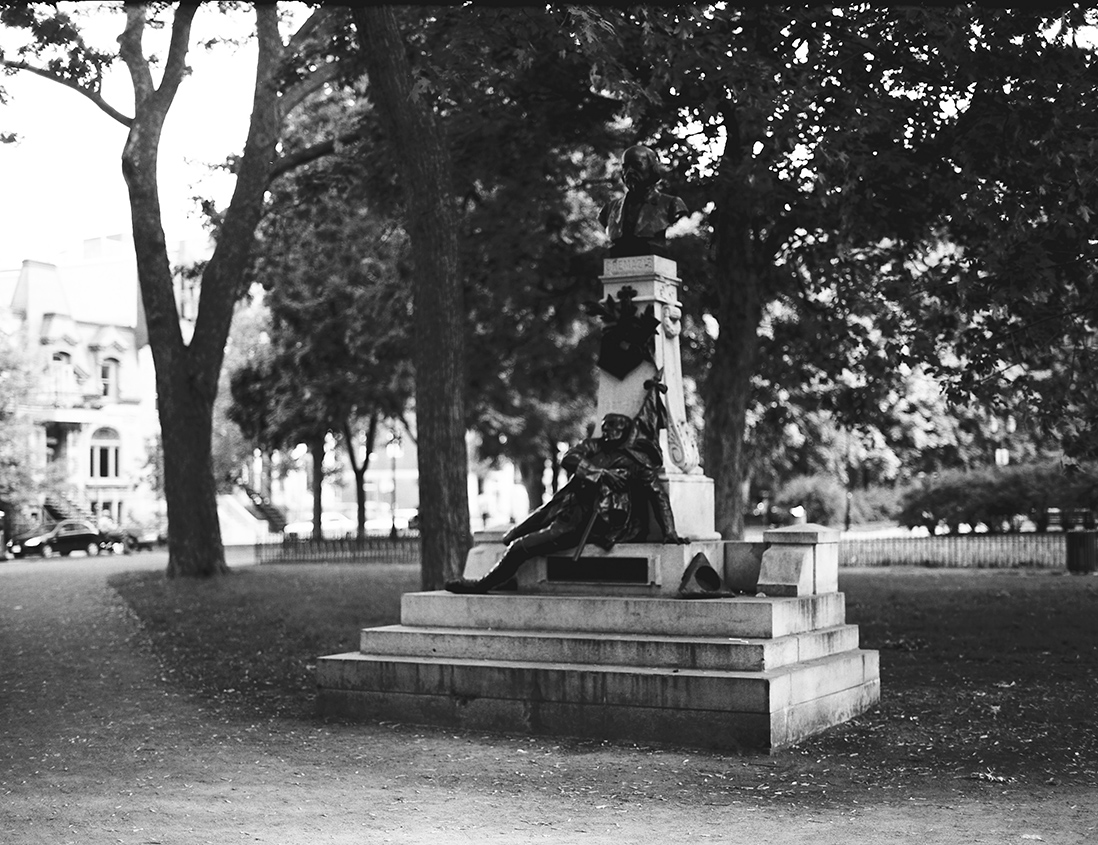
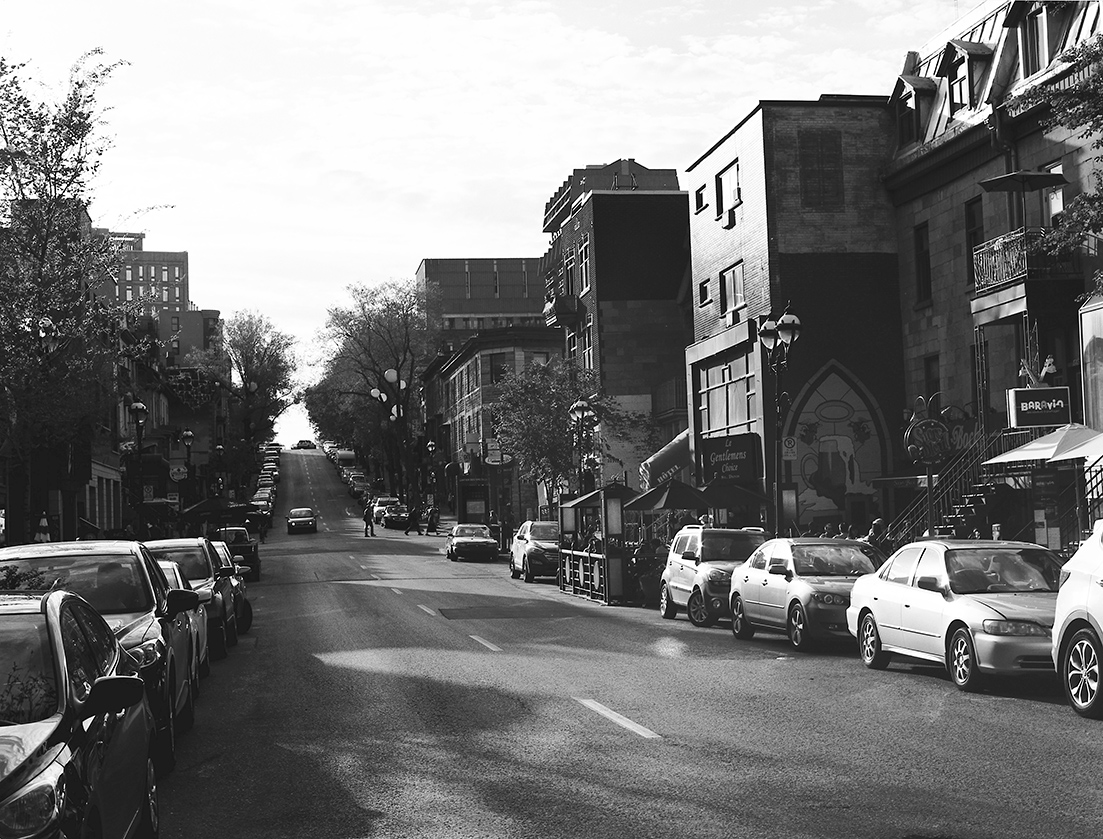
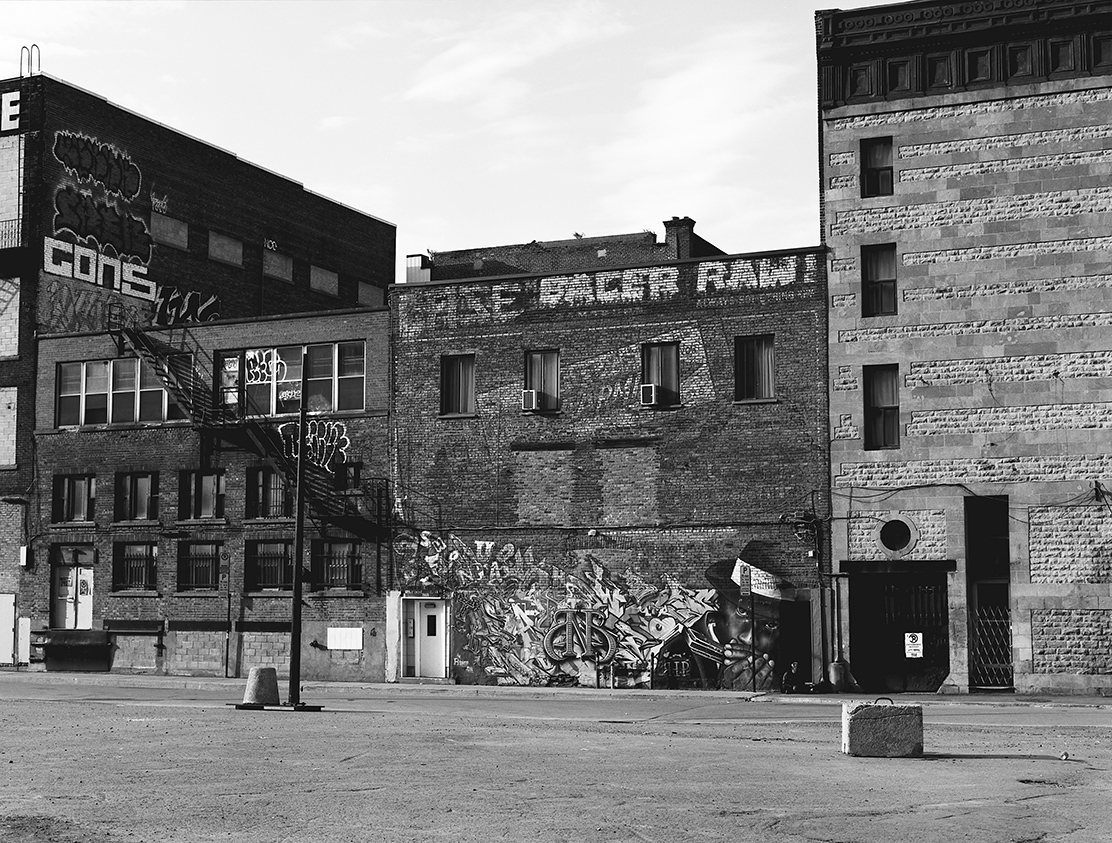
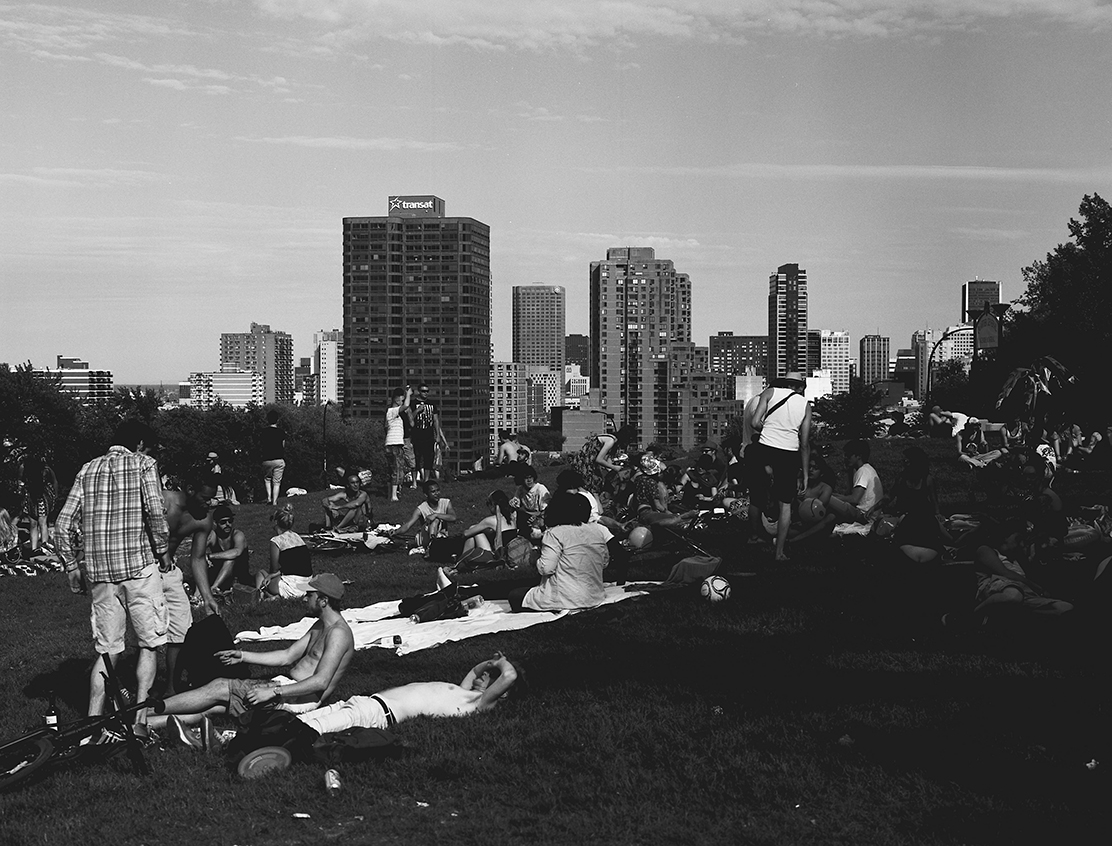
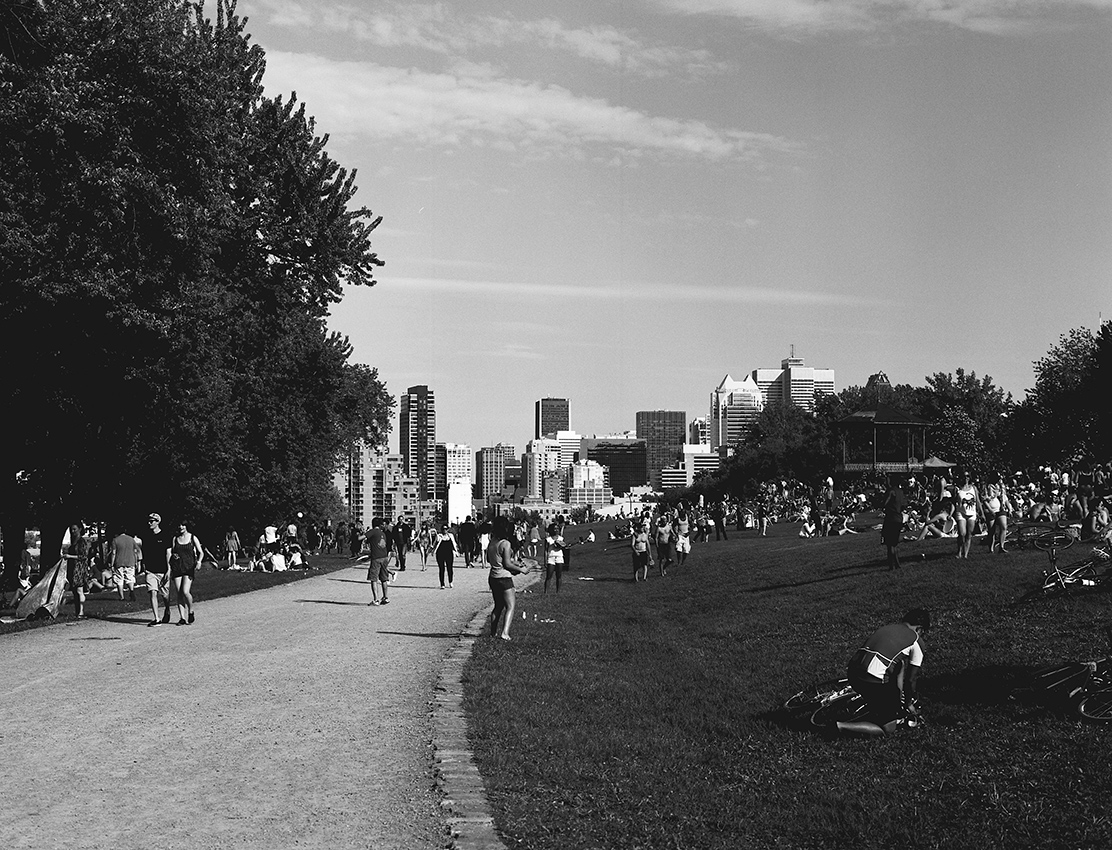
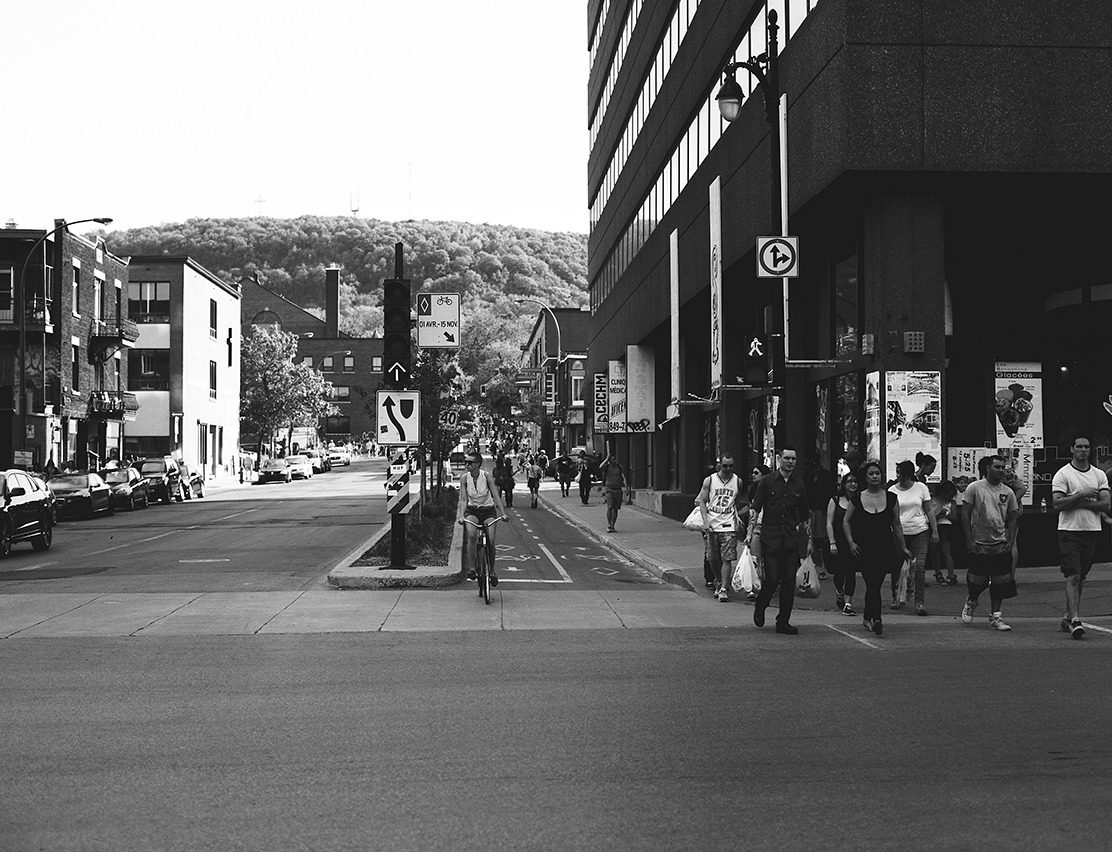
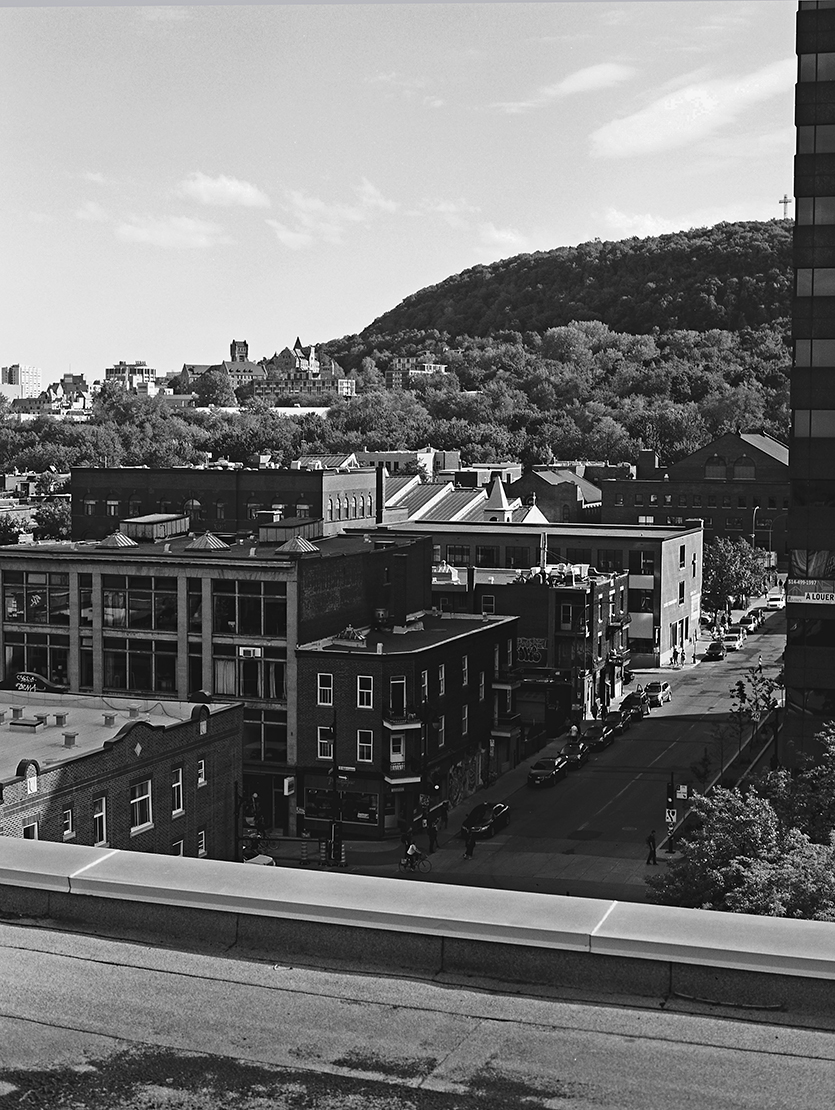
Some photos from just awesome Montreal summer – nothing special, just a test roll of Mamiya I brought from Poland (and it turns out it underexposes, probably old battery, will need to calibrate it properly with light meter…).

5162-015 5162-014 5162-011 5162-007 5162-006 5162-005 5162-004 5162-003 5162-002

Posted in Travel / Photography | Tagged , , , , , , | 1 Comment

Runtime editor-console connection in The Witcher 2

During Digital Dragons and tons of inspiring talks and discussions I’ve been asked by one Polish game developer (he and his team are doing quite cool early-access Steam economy/strategy game about space exploration programmes that you can check out here) to write a bit more about the tools we had for connectivity between game editor and final game running on a console on The Witcher 2. As increasing productivity and minimizing iteration times is one of my small obsessions, (I believe that fast iteration times, big productivity and efficient and robust pipelines are much much more important than adding tons of shiny features) I agreed that it is quite cool topic to write about. 🙂 While I realize that probably lots of other studios have similar pipelines, it is still a cool topic to talk about and multiple other (especially smaller) developers can benefit from it. As I don’t like sweeping problems under the carpet, I will discuss disadvantages and limitations of the solution we had at CD Projekt RED at that time.

Early motivation

Xbox 360 version of The Witcher 2 was first console game done 100% internally by CD Projekt RED. At that time X360 was already almost 7 years old and far behind the capabilities of modern PCs, for which we developed the game in the beginning. Whole studio – artists, designers and programmers were aware that we will need to cut down and change really lots of stuff to make game running on consoles – but have to do wisely not to sacrifice the high quality of players experience that our game was known for. Therefore programmers team apart from porting and optimizing had to design and implement multiple tools to aid the porting process.

Among multiple different tools, a need for connection between game editor and consoles appeared.  There were 2 specific topics that made us consider doing such tools:

Performance profiling and real-time tweaking on console

PC version sometimes had insane amounts of localized lights. If you look at following scene – one of game opening scenes, at specific camera angles it had up to 40 smaller or bigger localized deferred lights on a PC – and there were even heavier lit scenes in our game! 

the_witcher_2_geralt_dungeon

Yeah, crazy, but how was it even possible?

Well, our engine didn’t have any kind of Global Illumination or baking solution, one of early design decisions was that we wanted to have everything dynamic, switchable, changeable (quite important for such nonlinear game – most locations had many “states” that depended on game progress and player’s decision), animated.

Therefore, GI was faked by our lighting and environment artists by placing many lights of various kinds – additive, modulative, diffuse-only, specular-only, character or env-only with different falloffs, gobo lights, different types of animation on both light brightness and position (for shadow-casting lights it gives this awesome-looking torches and candles!) etc. Especially interesting ones were “modulative” lights that were subtracting energy from the scene to fake large radius AO / shadows – doing such small radius modulative light will be cheaper than rendering a shadowmap and gives nice, soft light occlusion.

All of this is totally against current trend of doing everything “physically-correct” and while I see almost only benefits of PBR approach and believe in coherency etc, I also trust great artists and believe they can also achieve very interesting results when crossing those physical boundaries and have “advanced mode” magical knobs and tweaks for special cases – just like painters and other artists that are only inspired by reality. 

Anyway, having 40+ lights on screen (very often overlapping and causing massive lighting overdraw) was definitely a no-go on X360, even after we optimized our lighting shaders and pipelines a lot. It was hard for our artists to decide which lights should be removed, which ones add significant cost (large overdraw / covered area). Furthermore, they wanted to be able to decide in which specific camera takes big lighting costs were acceptable – even 12ms of lighting is acceptable if whole scene mesh rendering took under 10ms – to make game as beautiful as possible we had flexible and scene-dependent budgets.

All of this would be IMHO impossible to simulate with any offline tools – visualizing light overdraw is easy, but seeing final cost together with the scene drawing cost is not. Therefore we decided that artists need a way to tweak, add, remove, move and change lights in the runtime and see changes in performance immediately on screen and to create tools that support it.

Color precision and differences

Because of many performance considerations on x360 we went with RGBA 1010102 lighting buffer (with some exp bias to move it to “similar range” like on PC). We also changed our color grading algorithms, added filmic tone mapping curve and adapted gamma curves for TV display. All of this had simply devastating effect on our existing color precision – especially moving from 16bit lighting to 10 bit and having multiple lighting, fog and particle passes – as you might expect, the difference was huge. Also our artist wanted to have some estimate of how the game will look on TVs, with different and more limited color range etc. – on a PC version most of them used high quality, calibrated monitors to achieve consistency of texturing and color work in the whole studio. To both have a preview of this look on TV while tweaking color grading values and to fight the banding, again they wanted to have live preview of all of their tweaks and changes in the runtime. I think it was easier way to go (both in terms of implementation and code maintenance time), than trying to simulate looks of x360 code path in the PC rendering path.

Obviously, we ended up with many more benefits that I will try to summarize.

Implementation and functionality

To implement this runtime console-editor connection, we wrote a simple custom command-based network protocol. 

Our engine and editor already had support for network-based debugging for scripting system. We had a custom, internally written C-like scripting system (that automatically extended the RTTI, had access to all of the RTTI types, was aware of game saving/loading and had a built-in support for state machines – in general quite amazing piece of code and well-designed system, probably worth some more write-up). This scripting system had even its own small IDE, debugger with breakpoints and a sampling profiler system. 

Gameplay programmers and script designers would connect with this IDE to running editor or game, could debug anything or even hot-reload all of the scripts and see the property grid layout change in the editor if they added/removed or renamed a dynamic property! Side note: everyone experienced with complex systems maintenance can guess how often those features got broken or crashed the editor after even minor changes… Which is unfortunate – as it discouraged gameplay scripters from using those features, so we got less bug reports and worked on repairing it even less frequently… Lesson learned is as simple as my advice – if you don’t have a huge team to maintain every single feature, KISS.

Having already such network protocol with support for commands sent both ways, it was super-easy to open another listener on another port and start listening to different types of messages! 

To get it running and get first couple of commands implemented I remember it took only around one day. 🙂 

So let’s see what kinds of commands we had:

Camera control and override

Extremely simple – a command that hijacked in-game camera. After the connection from editor and enabling camera control, every in-editor camera move was just sent with all the the camera properties (position, rotation, near/far planes and FOV) and got serialized through the network.

Benefits from this feature were that it not only made easier working with all the remaining features – it also allowed debugging streaming, checking which objects were not present in final build (and why) and in general our cooking/exporting system debugging. If something was not present on the screen in final console build, artist or level designer could analyze why – whether it is also not present in the editor, does it have proper culling flags, is it assigned to a proper streaming layer etc. – and either fix it, or assign a systemic bug to programmers team.

Loading streaming groups / layers

Simple command that send a list of layers or layer groups to load or unload (while they got un/loaded in the editor), passed directly to the streaming system. Again allowed performance debugging and profiling of the streaming and memory cost – to optimize CPU culling efficiency, minimizing memory cost of loaded objects that were not visible etc.

While in theory something cool and helpful, I must admit that this feature didn’t work 100% as expected and wasn’t very useful and used commonly in practice for those goals. It was mostly because lots of our streaming was affected by hiding/unhiding layers by various gameplay conditions. As I mentioned, we had very non-linear game and streaming was also used for achiving some gameplay goals. I think that it was kind of a misconception and bad design of our entity system (lack of proper separation of objects logic and visual representation), but we couldn’t change it for Xbox 360 version of Witcher 2 easily.

Lights control and spawning

Another simple feature. We could spawn in the runtime new lights, move existing ones and modify most of their properties – radius, decay exponent, brightness, color, “enabled” flag etc. Every time a property of a light was modified or new light component was added to a game world, we sent a command over network that replicated such event on console.

A disadvantage of such simple replication was that if we restarted the game running on console, we would lose all those changes. 😦 In such case either save + re-export (so cooking whole level again) or redoing those changes was necessary.

Simple mesh moving

Very similar to the previous one. We had many “simple” meshes in our game (that didn’t have any gameplay logic attached to them) that got exported to a special, compressed list, to avoid memory overhead of storing whole entities and entity templates and they could be moved without the need of re-exporting whole level. As we used dynamic occlusion culling and scene hierarchy structure – a beam-tree, therefore we didn’t need to recompute anything, it just worked.

Environment presets control

The most complex feature. Our “environment system” was a container for multiple time-of-day control curves for all post-effects, sun and ambient lighting, light groups (under certain mood dynamic lights had different colors), fog, color grading etc. It was very complex as it supported not only dynamic time of day, but multiple presets being active with different priorities and overriding specific values only per environment area. To be able to control final color precision on x360 it was extremely important to allow editing them in the runtime. IIRC when we started editing them while in the console connection mode, whole environment system on console got turned off and we interpolated and passed all parameters directly from the editor.

Reloading post-process (hlsl file based) shaders

Obvious, simple and I believe that almost every engine has it implemented. For me it is obligatory to be able to work productively, therefore I understand how important it is to deliver similar functionalities to teams other than graphics programmers. 🙂

What kind of useful features we lacked

While our system was very beneficial for the project and seeing its benefits in every next project in any company I will opt for something similar, we didn’t implement many other features that would be as helpful.

Changing and adding pre-compiled objects

Our system didn’t support adding or modifying any objects that got pre-compiled during export – mostly meshes and textures. It could be useful to quickly swap textures or meshes in the runtime (never-ending problems with dense foliage performance anyone? 🙂 so far the biggest perf problem on any project I worked on), but our mesh and texture caches were static. It would require partial dynamism of those cache files and system + adding more support for export in editor (for exporting we didn’t use the editor, but a separate “cooker” process).

Changing artist-authored materials

While we supported recompiling hlsl based shaders used for post-effects, our system didn’t support swapping artist-authored particle or material shaders. Quite similar to the previous one – we would need to add more dynamism to the shader cache system… Wouldn’t be very hard to add if we weren’t already late in “game shipping” mode.

Changing navmesh and collision

While we were able to move some “simple” static objects, the navmesh and gameplay collision didn’t change. It wasn’t a very big deal – artists almost never played on those modified levels – but it could make life of level and quest designers much easier – just imagine when having a “blocker” or wrong collision on a playthrough quick connection with editor, moving it and immediately checking the result – without the need to restart whole complex quest or starting it in the editor. 🙂

Modifying particle effects

I think that being able to change particle system behaviors, curves and properties in the runtime would be really useful for FX artists. Effects are often hard to balance – there is a very thin line of compromise between the quality and performance due to multiple factors – resolution of the effect (half vs full res), resolution of flipbook textures, overdraw, alpha value and alpha testing etc. Being able to tweak such properties on a paused game during for instance explosion could be a miracle cure for frame timing spikes during explosions, smoke or spell effects. Still, we didn’t do anything about it due to complexity of particle systems in general and multiple factors to take into account… I was thinking about simply serializing all the properties, replicating them over the network and deserializing them – would work out of the box – but there was no time and we had many other, more important tasks to do.

Anything related to dynamic objects

While our system worked great on environment objects, we didn’t have anything for the dynamic objects like characters. To be honest, I’m not really sure if it would be possible to implement easily without doing a major refactor on many elements. There are many different systems that interact with each other, many global managers (which may not be the best “object-oriented” design strategy, but often are useful to create acceleration structures and a part of data/structure oriented design), many objects that need to have state captured, serialized and then recreated after reloading some properties – definitely not an easy task, especially under console memory constraints. Nasty side effect of this lack was something that I mentioned – problems with modifying semi-dynamic/semi-static objects like doors, gameplay torches etc.

Reloading scripts on console

While our whole network debugging code was designed in the first place to enable scripts reloading between the editor and a scripting IDE, it was impossible to do it on console the way it was implemented. Console version of the game had simplified and stripped RTTI system that didn’t support (almost) any dynamism and moving there some editor code would mean de-optimizing runtime performance. It could be a part of a “special” debug build, but the point of our dynamic console connection system was to be able to connect it simply to any running game. Also again capturing state while RTTI gets reinitialized + scripts code reloaded could be more difficult due to memory constraints. Still, this topic quite fascinates me and would be kind of ultimate challenge and goal for such connection system.

Summary

While our system was lacking multiple useful features, it was extremely easy and fast to implement (couple days total?). Having an editor-console live connection is very useful and I’m sure that time spent developing it paid off multiple times. It provides much more “natural” and artist-friendly interface than any in-game debug menus, allows for faster work and implementing much more complex debug/live editing features. It not only aids debugging as well as optimization, but if it was a bit more complex, it could even accelerate the actual development process. When your iteration times on various game aspects get shorter, you will be able to do more iterations on everything – which gives you not only more content in the same time/for the same cost, but also much more polished, bug-free and fun to play game! 🙂

Posted in Code / Graphics | Tagged , , , , , , | Leave a comment

Digital Dragons 2014 slides

This Friday I gave a talk on Digital Dragons 2014.

It was a presentation with tons of new, unpublished content and details about our:

  • Global Illumination solution – full description of baking process, storing data in 2D textures and runtime application
  • Temporal supersampled SSAO
  • Multi resolution ambient occlusion by adding “World Ambient Occlusion” (Assassin’s Creed 3 technique)
  • Procedural rain ripple effect using compute and geometry shaders
  • Wet surfaces materials approximation
  • How we used screenspace reflections to enhance look of wet surfaces
  • GPU driven rain simulation
  • Tons of videos and debug displays of every effect and procedural textures!

If you have seen my GDC 2014 talk, then probably still there is lots of new content for you – I tried to avoid reusing my GDC talk contents as much as possible.


Here (and on publications page) are my slides for Digital Dragons 2014 conference:

PPTX Version, 226MB – but worth it (tons of videos!)

PPTX Version with extremely compressed videos, 47MB

PDF Version with sparse notes, 6MB

PDF Version, no notes, 7MB


Posted in Code / Graphics | Tagged , , , , , , | 2 Comments

Temporal supersampling pt. 2 – SSAO demonstration

This weekend I’ve been working on my Digital Dragons 2014 presentation (a great Polish game developers conference I was invited to – if you will be somewhere around central Europe early May be sure to check it out) and finally got to take some screenshots/movies of temporal supersampling in action on SSAO. I promised to take them quite a while ago in my previous post about temporal techniques and almost forgot. 🙂

To be honest, I never really had time to “benchmark” properly its quality increase when developing for Assassin’s Creed 4 – it came very late in the production, actually for a title update/patch – in the same patch as increased PS4 resolution and our temporal anti-aliasing. I had motion vectors so I simply plugged it in, tweaked params a bit, double-checked the profilers, asked other programmers and artists to help me assess increase in quality (everybody was super happy with it) and review it, gave for full testing and later submitted.

Now I took my time to do proper before-after screenshots and the results are surprising ever for me.

Let’s have a look at comparison screenshots:


Scalable Ambient Obscurance without temporal supersampling / smoothing

Scalable Ambient Obscurance without temporal supersampling / smoothing

Scalable Ambient Obscurance with temporal supersampling / smoothing

Scalable Ambient Obscurance with temporal supersampling / smoothing

On a single image with contrast boosted (click it to see in higher res):

Scalable Ambient Obscurance with/without temporal supersampling - comparison

Scalable Ambient Obscurance with/without temporal supersampling – comparison

Quite decent improvement (if we take into account a negligible runtime cost), right? We see that ugly pattern / noise around foliage disappeared and undersampling behind the ladder became less visible.

But it’s nothing compared to to how it behaves in motion – be sure to watch it in fullscreen!

(if you see poor quality/compression on wordpress media, check out direct link)

I think that in motion the difference is huge and orders of magnitude better! It fixes all the issues typical to the SSAO algorithms that happen because of undersampling. I will explain in a minute why it gets so much better in motion.

You can see on the video some artifacts (minor trailing / slow appearance of some information), but I don’t know if I would notice them not knowing what to look for (and with applied lighting, our SSAO was quite subtle – which is great and exactly how SSAO should look like – we had great technical art directors 🙂 ).

Let’s have a look what we have done to achieve it.


Algorithm overview

Our SSAO was based on Scalable Ambient Obscurance algorithm by McGuire et al. [1]

The algorithm itself has a very good console performance (around 1.6ms on consoles for full res AO + two passes of bilateral blur!), decent quality and is able to calculate ambient obscurance of quite high radius (up to 1.5m in our case) with fixed performance cost. Original paper presents multiple interesting concepts / tricks, so be sure to read it!

We plugged our temporal supersampling to the AO pass of algorithm – we used 3 rotations of SSAO sampling pattern (that was unique for every per screen space pixel position) alternating every frame (so after 3 frames you got the same pattern).

To combine them, we simply took previous ssao buffer (so it became effectively accumulation texture), took offset based on motion vectors, read it and after deciding on rejection or acceptance (smooth weight) combined them together with a fixed exponential decay (weight of 0.9 for history accumulation buffer on acceptance, it got down to zero on rejection) and output the AO.

For a static image it meant tripling the effective sample count and supersampling – which is nice. But given the fact that every screen space pixel has a different sampling pattern it meant that number of samples contributing to the final image when moving game camera could be hundreds of times higher! With camera moving and pixel reprojection we were getting more and more different sampling patterns and information from different pixels and they all accumulated together into one AO buffer – that’s why it behaves so well in motion.

Why we supersampled during the AO pass, not after blur? My motivation was that I wanted to do the supersampling, so increase the number of samples taken by AO by splitting them across multiple frames / pixels. It seemed to make more sense (temporal supersampling + smoothing, not just the smoothing) and was much better at preserving the details than doing it after blur – when the information is already lost (low-pass filter) and scattered around multiple pixels.

To calculate the rejection/acceptance we used the fact the Scalable Ambient Obscurance has a simple, but great trick of storing and compressing depth into same texture as AO (really accelerates the subsequent bilateral blurring passes, only 1 sample taken each tap) – 16bit depth gets stored in 2 8-bit channels. Therefore we had depth information ready and available with the AO and could do the depth rejection for no additional cost! Furthermore, as our motion vectors and temporal AO surfaces were 8 bits only, they didn’t pollute the cache too much and fetching those textures pipelined very well – I couldn’t see any additional cost of temporal supersampling on a typical scene.

Depth rejection has a problem of information “trailing”, (when occluder disappears, occluded pixel has no knowledge of it – and cannot reject the “wrong” history / accumulation) but it was much cheaper to do (information for given pixel compressed and fetched with color) than multi-tap color-based rejection and as I said – neither we, nor any testers / players have seen any actual trailing issues.


Comparison to previous approaches

Idea to apply temporal smoothing on SSAO is not new. There were presentations from DICE [2] and Epic Games [3] about similar approaches (thanks for Stephen Hill for mentioning the second one – I had no idea about it), but they differed from our approach a lot not only in implementation, but also in both reasoning as well as application. They used temporal reprojection to help smoothen the effect and reduce the flickering when camera was moving, especially to reduce half resolution artifacts when calculating SSAO in half res (essential for getting acceptable perf on the expensive HBAO algorithm). On the other hand, for us it was not only to smoothen the effect, but to really increase the number of samples and do the supersampling distributed across mutliple frames distributed in time and main motivation/inspiration came from temporal antialiasing techniques. Therefore our rejection heuristic was totally different than the one used by DICE presentation – they wanted to do temporal smoothing only on “unstable” pixels, while we wanted to keep the history accumulation for as long as possible on every pixel and get the proper supersampling.


Summary

I hope I have proved that temporal supersampling works extremely well on some techniques that take multiple stochastic samples like SSAO and solves common issues (undersampling, noise, temporal instability, flickering) at a negligible cost.

So… what is your excuse for not using it for AA, screen-space reflections, AO and other algorithms? 🙂


References

[1] Scalable Ambient Obscurance – McGuire et al

[2] Stable SSAO in Battlefield 3 with Selective Temporal Filtering – Andersson and Bavoil

[3] Rendering Techniques in GEARS OF WAR 2 – Smedberg and Wright


Posted in Code / Graphics | Tagged , , , , , , , , , , , , | 8 Comments

C#/.NET graphics framework

In my previous post about bokeh I promised that I will write a bit more about my simple C# graphics framework I use at home for prototyping various DX11 graphics effects.

You can download its early version with demonstration of bokeh effect here.

So, the first question I should probably answer is…

Why yet another framework?

Well, there are really not many. 🙂 In the old days of DirectX 9, lots of coders seemed to be using ATI (now AMD) RenderMonkey . It is no longer supported, doesn’t have modern DirectX APIs support. I really doubt that with advanced DX10+ style API it would be possible to create something similar with full featureset – UAVs in all shader stages, tesselation, geometry and compute shaders.

Also today most of newly developed algorithms got much more complex.

Lots of coders seem to be using Shadertoy to showcase some effects or quite similar, quite an awesome example would be implementation of Brian Karis area lights by ben. Unfortunately such frameworks work well for fully procedural, usually raymarched rendering with a single pass – while you can demonstrate amazing visual effects (demoscene style), this is totally unlike regular rendering pipelines and is often useless for prototyping shippable rendering techniques. Also because of basing everything on raymarching, code becomes hard to follow and understand, with tons of magic numbers, hacks and functions to achieve even simple functionalities…

There are two frameworks I would consider using myself and that caught my attention:

  • “Sample Framework” by Matt Pettineo. It seems it wraps very well lots of common steps needed to set up simple DirectX 11 app and Matt adds new features from time to time. In the samples I tried it works pretty well and the code and structure are quite easy to follow. If you like coding in C++ this would be something I would look into first, however I wanted to have something done more in “scripting” style and that would be faster to use. (more about it later).
  • bgfx by Branimir Karadžić. I didn’t use it myself, cannot really tell more about it, but it has benefit of being multiplatform and multi API, so it should make it easy to abstract lots of stuff – this way algorithms should be easier to present in a platform agnostic way. But it is more of an API abstraction library, not a prototyping playground / framework.

A year or two ago I started to write my own simple tool, so I didn’t look very carefully into them, but I really recommend you to do so, both of them are for sure more mature and written better way than my simple tech.

Let’s get to my list of requirements and must-have when developing and prototyping stuff:

  • Possibility of doing multi pass rendering.
  • Mesh and texture loading.
  • Support for real GPU profiling – FPS counter or single timing counter are not enough! (btw. paper authors, please stop using FPS as a performance metric…)
  • DX11 features, but wrapped – DX11 is not very clean API, you need to write tens of lines of code to create a simple render target and all of “interesting” views like RTV, UAV and SRV.
  • Data drivenness and “scripting-like” style of creating new algorithms.
  • Shader and possibly code reloading and hot swapping (zero iteration times).
  • Simple to create UI and data driven UI creation.

Why C# / . NET

I’m not a very big fan of C++ and its object-oriented style of coding. I believe that for some tasks (not performance critical) scripting or data driven languages are much better, while other things are expressed much better in functional or data oriented style. C++ can be a “dirty” language, doesn’t have a very good standard library and templated extensions like boost (that you need for as simple tasks as regular expressions) are a nightmare to read. To make your program usable, you need to add tons of external library requirements. It gets quite hard to have them compile properly between multiple machines, configurations or library versions.

Obviosuly, C++ is here to stay, especially in games, I work with it every day and can enjoy it as well. But on the other hand I believe that it is very beneficial if a programmer works in different languages with different working philosophies – this way he can learn “thinking” about problems and algorithms, not the language specific solutions. So I love also Mathematica, multi-paradigm Python, but also C#/.NET.

As I said, I wanted to be able to code new algorithms in a “scripting” style, not really thinking about objects, but more about algorithms themselves – so I decided to use .NET and C#.

It has many benefits:

  • .NET has lots of ways of expressing solutions to a problem. You even can write in more dynamic/scripting style, Emit or dynamic objects are extremely powerful tools.
  • It has amazingly fast compilation times and quite decent edit&continue support.
  • Its performance is not that bad if you don’t write with it code that is executed thousands of times per frame.
  • .NET on windows is an excellent environment / library and has everything I need.
  • It should run on almost every developers Windows, with Visual Studio Express (free!) and if you limit used libraries (I use SlimDX) compilation / dependency resolving shouldn’t be a problem.
  • It is very easy to write complex functional-style solutions to problems with LINQ (yes, probably all game developers would look disgusted at me right now 🙂 ).
  • It is trivial to code UI, windows etc.

So, here I present my C# / .NET framework!

csharprenderer


Simplicity of adding new passes

As I mentioned, my main reason to create this framework was making sure that it is trivial to add new passes, especially with various render targets, textures and potentially compute. Here is an example of adding simple pass together with binding some resources, render target and later rendering a typical post-process fullscreen pass:


using (new GpuProfilePoint(context, "Downsample"))
{
    context.PixelShader.SetShaderResource(m_MainRenderTarget.m_RenderTargets[0].m_ShaderResourceView, 0);
    context.PixelShader.SetShaderResource(m_MainRenderTarget.m_DepthStencil.m_ShaderResourceView, 1);
    m_DownscaledColorCoC.Bind(context);
    PostEffectHelper.RenderFullscreenTriangle(context, "DownsampleColorCoC");
}

We also get a wrapped GPU profiler for given section. 🙂

To create interesting resources (render target texture with all potentially interesting resource views) one would type once simply just:

m_DownscaledColorCoC = RenderTargetSet.CreateRenderTargetSet(device, m_ResolutionX / 2, m_ResolutionY / 2, Format.R16G16B16A16_Float, 1, false);

Ok, but how do we handle the shaders?

Data driven shaders

I wanted to avoid tedious manual compilation of shaders, creation of shader objects and determining their type. Adding a new shader should be done in just one place, shader file – so I went with data driven approach.

Part of the code called ShaderManager parses all the fx files in the executable directory with multiple regular expressions and looks for shader definitions, sizes of compute shader dispatch groups etc. and stores all the data.

So all shaders are defined in hlsl with some annotations in comments, they are automatically found and compiled. It supports also shader reloading and on shader compilation error presents a message box with error message and you can close it after fixing all of the shader compilation errors. (multiple retries possible)

This way shaders are automatically found, referenced in code by name.

// PixelShader: DownsampleColorCoC, entry: DownsampleColorCoC
// VertexShader: VertexFullScreenDofGrid, entry: VShader
// PixelShader: BokehSprite, entry: BokehSprite
// PixelShader: ResolveBokeh, entry: ResolveBokeh
// PixelShader: ResolveBokehDebug, entry: ResolveBokeh, defines: DEBUG_BOKEH

Data driven constant buffers

I also support data driven constant buffers and manual reflection system – I never really trusted DirectX effects framework / OpenGL reflection.

I use dynamic objects from .NET to access all constant buffer member variables just like regular C# member variables – both for read and write. It is definitely not the most efficient way to do it, forget about even hundreds of drawcalls with different constant buffers – but  on the other hand, it was never main goal of my simple framework – but real speed of prototyping.

Example of (messy) mixed read and write constant buffer code – none of “member” variables are defined anywhere in code:

mcb.zNear = m_ViewportCamera.m_NearZ;
mcb.zFar = m_ViewportCamera.m_FarZ;
mcb.screenSize = new Vector4((float)m_ResolutionX, (float)m_ResolutionY, 1.0f / (float)m_ResolutionX, 1.0f / (float)m_ResolutionY);
mcb.screenSizeHalfRes = new Vector4((float)m_ResolutionX / 2.0f, (float)m_ResolutionY / 2.0f, 2.0f / (float)m_ResolutionX, 2.0f / (float)m_ResolutionY);
m_DebugBokeh = mcb.debugBokeh > 0.5f;

Nice and useful part of parsing constant buffers with regular expressions is that I can directly specify which variables are supposed to be user driven. This way my UI is also created procedurally.

procedural_ui

float ambientBrightness; // Param, Default: 1.0, Range:0.0-2.0, Gamma
float lightBrightness;   // Param, Default: 4.0, Range:0.0-4.0, Gamma
float focusPlane;        // Param, Default: 2.0, Range:0.0-10.0, Linear
float dofCoCScale;       // Param, Default: 6.0, Range:0.0-32.0, Linear
float debugBokeh;        // Param, Default: 0.0, Range:0.0-1.0, Linear

As you see it supports different curve responses of sliders. Currently is not very nice looking due to my low UI skills and laziness (“it kind of works, so why bother”) – but I promise to improve it a lot in the near future, both on the code side and usability.

Profilers

Final feature I wanted to talk about and something  that was very important for me when developing my framework was possibility to use extensively multiple GPU profilers.

You can place lots of them with hierarchy and profiling system will resolve them (DX11 disjoint queries are not obvious to implement), I also created very crude UI that presents it in a separate window.

profilers

Future and licence

Finally, some words about the future of this framework and licence to use it.

This is 100% open source without any real licence name or restrictions, so use it however you want on your own responsibility. If you use it and publish something based on it and respect the graphics programming community and development, please share your sources as well and mention where and who you got original code from – but you don’t have to.

I know that it is in very rough form, lots of unfinished code, but every week it gets better (every time I use it and find something annoying or not easy enough, I fix it 🙂 ) and I can promise to release updates from time to time.

Lots of stuff is not very efficient – but it doesn’t really matter, I will improve it only if I need to. On the other hand, I aim to improve code quality and readability constantly.

My nearest plans are to fix obj loader, add mesh and shader binary caching, better structure buffer object handling (like append/consume buffers), provide more supported types in constant buffers and fix the UI. Further future is adding more reflection for texture and UAV resources, font drawing and GPU buffer-based on-screen debugging.


Posted in Code / Graphics | Tagged , , , , , , | 13 Comments

Bokeh depth of field – going insane! part 1

Recently I was working on console version depth of field suitable for gameplay – so simple, high quality effect, running with a decent performance on all target platforms and not eating big percent of budget.

There are tons of publications about depth of field and bokeh rendering, personally I like photographic, circular bokeh and it was also request from the art director, so my approach is doing simple poisson-like filtering – not separable, but achieves nice circular bokeh. Nothing fancy to write about.

If you wanted to do it with other shapes, I have two recommendations:

1. For hexagon shape a presentation how to approximate it by couple passes of separable skewed box blurs from John White, Colin Barré-Brisebois from Siggraph 2011. [1] 

2. Probably best for “any” shape of bokeh – smart modern DirectX 11 / OpenGL idea of extracting “significant” bokeh sprites by Matt Pettineo. [2]

But… I looked at some old screenshots of the game I spent significant part of my life on – The Witcher 2 and missed its bokeh craziness – just look at this bokeh beauty! 🙂

witcher_bokeh2

witcher_bokeh3

I will write a bit about technique we used and aim to start small series about getting “insane” high quality bokeh effect aimed only for cutscenes and how to optimize it (I already have some prototypes of tile based and software rasterizer based approaches).

Bokeh quality

I am a big fan of analog and digital photography, I love medium format analog photography (nothing teaches you expose and compose your shots better than 12 photos per quite expensive film roll plus time spent in the darkroom developing it 🙂 ) and based on my photography experience sometimes I really hate bokeh used in games.

First of all – having “hexagon” bokeh in games other than aiming to simulate lo-fi cameras is very big mistake of art direction for me. Why?

Almost all photographers just hate hexagonal bokeh that comes from aperture blades shape. Most of “good quality” and modern lenses use either higher number or rounded aperture blades to help fight this artificial effect as this is something that photographers really want to fight.

So while I understand need for it in racing games or Kayne & Lynch gonzo style lo-fi art direction – it’s cool to simulate TV or cheap cameras with terrible lenses, but having it in either fantasy, historical or sci-fi games just makes no sense…

Furthermore, there are two quite contradictory descriptions of high quality bokeh that depend on the photo and photographer itself:

  • “Creamy bokeh”. For many the gold standard for bokeh, especially for portraits – it completely melts the background down and allows you to focus your attention on the main photo subject, a person being photographed. Irony here is that such “perfect” bokeh can be achieved by simple and cheap gaussian blur! 🙂

ND7_1514

  • “Busy bokeh” or “bokeh with personality” (the second one is literal translation from Polish). Preference of others (including myself), circular or ring-like bokeh that creates really interesting results, especially with foliage. It gives quite “painterly” and 3D effect showing depth complexity of photographed scene. It was characteristic to many older lenses, Leica or Zeiss that we still love and associate with golden age of photography. 🙂

ND7_1568

Both example photos are taken by me on Iceland. Even first one (my brother) taken with portrait 85mm lens doesn’t melt the background completely – a “perfect” portrait lens (135mm + ) would.

So while the first kind of bokeh is quite cheap and easy to achieve (but it doesn’t eat couple millis, so nobody considers it “truly next gen omg so many bokeh sprites wow” effect 😉 ), the second one is definitely more difficult and requires having arbitrary, complex shapes of your bokeh sprites.

The Witcher 2 insane bokeh

So… How did I achieve bokeh effect in The Witcher 2? Answer is simple – full brute-force with point sprites! 🙂 While other developers proposed it as well at similar time [3], [4], I believe we were the first ones to actually ship the game with such kind of bokeh and we didn’t have DX10/11 support in our engine, so I wrote everything using vertex and pixel shaders.

Edit: Thanks to Stephen Hill for pointing out that actually Lost Planet was first… and much earlier, in 2007! [8]

The algorithm itself looked like:

  1. Downsample the scene color and circle of confusion calculated from depth into half-res.
  2. Render grid of quads – every quad corresponding to one pixel of half-res buffer. In vertex shader fetch depth and color, calculate circle of confusion and scale the sprite accordingly. Do it only for the far CoC – kill triangles corresponding to in-focus and near out-of-focus areas by moving them outside the viewport. In pixel shader fetch the bokeh texture, multiply by it (and by inverse sprite size squared) and output RGBA for premultiplied-alpha-like result. Alpha-blend them additively and hope for enough memory bandwidth.
  3. Do the same second time, for in-focus depth of field.
  4. Combine in one fullscreen pass with in-focus areas.

Seems insane? Yes it is! 🙂 Especially for larger bokeh sprites the overdraw and performance costs were just insane… I think that some scenes could take up to 10ms on just bokeh on some latest GPUs at that time…

However, it worked due to couple of facts:

  • It was special effect for “Ultra” configuration and best PCs. We turned it off even in “High” configuration and had nice and optimal gaussian blur based depth of field for them.
  • It was used only for cutscenes and dialogues, where we were willing to sacrifice some performance for amazing and eye-candy shots and moments.
  • We had very good cutscene artists setting up values in “rational” way, they were limiting depth of field to avoid such huge timings and to fit everything in the budget. Huge CoC was used in physically based manner (telephoto lens with wide aperture) – for very narrow angle shots where usually there was one character and just part of the background being rendered – so we had some budget to do it.

Obviously, being older and more experienced I see how many things we did wrong. AFAIR the code for calculating CoC and later composition pass were totally hacked, I think I didn’t use indexed draw calls (so potentially no vertices reusing) and multi-pass approach was naive as well – all those vertex texture fetches done twice…

On the other hand, I think that our lack of DX10+ kind of saved us – we couldn’t use expensive geometry shaders, so probably vertex shaders were more optimal. You can check some recent AMD investigations on this topic with nice numbers comparisons – and it is quite similar to my experiences even with the simples geometry shaders. [5]

Crazy scatter bokeh – 2014!

As I mentioned, I have some ideas to optimize this effect using modern GPU capabilities as UAVs, LDS and compute shaders. Probably they are obvious for other developers. 🙂

But before I do, (as I said, I hope this to be whole post series) I reimplemented this effect at home “for fun” and to have some reference.

Very often at home I work just for myself on something that I wouldn’t use in shipping game, I’m unsure if it will work or will be shippable or simply want to experiment. That’s how I worked on Volumetric Fog for AC4 – I worked on it in my spare time and on weekends at home and realizing that it actually can be shippable, I brought it to work. 🙂

Ok, so some results for scatter bokeh.

dof1dof2dof3dof4

I think it is quite faithful representation of what we had quality-wise. You see some minor half-res artifacts (won’t be possible to fully get rid of them… unless you do temporal supersampling :> ) and some blending artifacts, but the effect is quite interesting.

What is really nice about this algorithm is possibility of having much better near plane depth of field with better “bleeding” onto background (not perfect though!)- example here.

dofnear_blend

Another nice side-effect is having possibility of doing “physically-based” chromatic aberrations.

If you know about physical reasons for chromatic aberrations, you know that what games usually do (splitting RGB and offsetting it slightly) is completely wrong. But with custom bokeh texture, you can do them accurately and properly! 🙂

Here is some example of bokeh texture with some aberrations baked in (those are incorrect, I should scale color channels not move, but done like that they are more pronounced and visible on such non-HDR screenshots).

bokeh_shape

And examples how it affects image – on non-HDR it is very subtle effect, but you may have noticed it on other screenshots.

dofnear_aberration dofnear_noaberration

Implementation

Instead of just talking about the implementation, here you have whole source code!

This is my C# graphics framework – some not optimal code written to make it extremely easy to prototype new graphics effects and for me to learn some C# features like dynamic scripting etc.

I will write more about it, its features and reasoning behind some decisions this or next week, meanwhile go download and play for yourself! 🙂

Licence to use both this framework and bokeh DoF code is 100% open source with no strings attached – but if you publish some modifications to it / use in your game, just please mention me and where it comes from (you don’t have to). I used Frank Meinl Sponza model [5] and SlimDX C# DirectX 11 wrapper [6].

As I said, I promise I will write a bit more about it later.

The effect quality-wise is 100% what was in The Witcher 2, but there are some improvements performance-wise from Witcher 2 effect.

  1. I used indexed draw. Pretty obvious.
  2. I didn’t store vertices positions in array, instead calculate them procedurally from vertex ID. On such bandwidth heavy effect everything that avoids thrashing your GPU caches and allows to use ALU instead will help a bit.
  3. I use single draw call for both near and far layers of DoF. Using MRT would be just insane, geometry shaders use is a performance bottleneck, so instead I just used… atlasing! 🙂 Old-school technique, but it works. Sometimes you can see edge artifacts from it (one plane leaks into atlas space of the other one) – it is possible to remove them in your pixel shader or with some borders, but I didn’t do it (yet).

I think that this atlasing part might require some explanation. For bokeh accumulation I use double-width texture, and spawn “far” bokeh sprites into one half, while the other ones in the second one. This way, I avoid overdraw / drawing them multiple times (MRT), geometry shaders (necessary for texture arrays as render targets) and avoid multiple vertex shader passes. Win-win-win!

I will write more about performance in later – but you can try for yourself and check that it is not great, I have even seen 11ms with extremely blurry close DoF plane filling whole screen on GTX Titan! 🙂

References

1. “More Performance! Five Rendering Ideas from Battlefield 3 and Need for Speed: The Run”, John White, Colin Barré-Brisebois http://advances.realtimerendering.com/s2011/White,%20BarreBrisebois-%20Rendering%20in%20BF3%20(Siggraph%202011%20Advances%20in%20Real-Time%20Rendering%20Course).pptx

2. “Depth of Field with Bokeh Rendering”, Matt Pettineo and Charles de Rousiers, OpenGL Insights and  http://openglinsights.com/renderingtechniques.html#DepthofFieldwithBokehRendering http://mynameismjp.wordpress.com/2011/02/28/bokeh/

3. The Technology Behind the DirectX 11 Unreal Engine Samaritan Demo (Presented by NVIDIA), GDC 2011, Martin Mittring and Bryan Dudash http://www.gdcvault.com/play/1014666/-SPONSORED-The-Technology-Behind

4. Secrets of CryENGINE 3 Graphics Technology, Siggraph 2011, Tiago Sousa, Nickolay Kasyan, and Nicolas Schulz http://advances.realtimerendering.com/s2011/SousaSchulzKazyan%20-%20CryEngine%203%20Rendering%20Secrets%20((Siggraph%202011%20Advances%20in%20Real-Time%20Rendering%20Course).ppt

5. Vertex Shader Tricks – New Ways to Use the Vertex Shader to Improve Performance, GDC 2014, Bill Bilodeau. http://amd-dev.wpengine.netdna-cdn.com/wordpress/media/2012/10/Vertex-Shader-Tricks-Bill-Bilodeau.ppsx

6. Crytek Sponza, Frank Meinl http://www.crytek.com/cryengine/cryengine3/downloads

7. SlimDX

8. Lost Planet bokeh depth of field http://www.beyond3d.com/content/news/499 http://www.4gamer.net/news/image/2007.08/20070809235901_21big.jpg

Posted in Code / Graphics | Tagged , , , , , , , , | 25 Comments

GCN – two ways of latency hiding and wave occupancy

I wanted to do another follow-up post to my GDC presentation, you can grab its slides here.

I talked for quite long about shader occupancy concept, which is extremely important and allows to do some memory latency hiding.

The question that arises is “when should I care”? 

It is a perfect question, because sometimes high wave occupancy can have no impact on your shader cost, sometimes it can speed up whole pass couple times and sometimes it can be counter-productive!

Unfortunately my presentation showed only very basics about our experiences with GCN architecture, so I wanted to talk about it a bit more.

I’ve had some very good discussions and investigations about it with my friend Michal Drobot (you can recognize his work on area lights in Killzone: Shadowfall [1] and earlier work on Parallax Occlusion Mapping acceleration techniques [2]) about it and we created set of general rules / guidelines.

Before I begin, please download AMD Sea Islands ISA  [3] (modern GCN architecture), AMD GCN presentation[4] and AMD GCN whitepaper [5] and have them ready! 🙂 

Wait instruction

One of most important instructions I will be referring to is

S_WAITCNT

According to the ISA this is dependency resolve instruction – waiting for completion of loading scalar or vector data. 

Wait for scalar data (for example constants from a constant buffer that are coherent to a whole wavefront) are signalled as:

LGKM_CNT

In general we don’t care as much about them – you will be unlikely bound by them, as latency of constant cache (separate, faster cache unit – page 4 in the GCN whitepaper) is much lower and you should have all such values ready.

On the other hand, there is:

VM_CNT

Which is vector register memory load/write dependency resolve and has much higher potential latency and/or cost – if you have L2 or L1 cache miss for instance…

So if we look at example extremely simple shader disassembly (from my presentation):

s_buffer_load_dwordx4 s[0:3], s[12:15], 0x08

s_waitcnt     lgkmcnt(0)

v_mov_b32     v2, s2

v_mov_b32     v3, s3

s_waitcnt     vmcnt(0) & lgkmcnt(15)

v_mac_f32     v2, s0, v0

v_mac_f32     v3, s1, v1

We see some batched constant loading followed by an immediate wait for it, before it is moved to vector register, while later there is a wait for vector memory load to v0 and v1 (issued by earlier shader code, which I omitted – it was just to load some basic data to operate on it so that compiler doesn’t optimize out everything as scalar ops 🙂 ) before it can be actually used by ALU unit.

If you want to understand the numbers in parenthesis, read the explanation in ISA – counter is arranged in kind of “stack” way, while reads are processed in sequential way.

I will be mostly talking about s_waitcnt on vector data.

Latency hiding

We have two ways of latency hiding:

  • By issuing multiple ALU operations on different registers before waiting for load of specific value into given register. Waiting for results of a texture fetch obviously increases the register count, as increases the lifetime of a register.
  • By issuing multiple wavefronts on a CU – while one wave is stalled on s_waitcnt, other waves can do both vector and scalar ALU. For this one we need multiple waves active on a CU.

The first option should be quite familiar for every shader coder, previous hardware also had similar capabilities – but unfortunately is not always possible. If we have some dependent texture reads, dependent ALU or nested branches based on a result of data fetch, compiler will have to insert s_waitcnt and stall whole wave until the result is available. I will talk later about such situations.

While second option existed before, it was totally hidden from PC shader coders (couldn’t measure its impact in any way… Especially on powerful nVidia cards) and in my experience it wasn’t as important on X360 and its effects as pronounced as on GCN. It allows you to hide lots of latency on dependent reads, branches or shaders with data-dependent flow control. I will also mention later shaders that really need it to perform well.

If we think about it, those two ways are a bit contradictory – one depends on register explosion (present for example when we do loop unrolling that contains some texture reads and some ALU on it), while the other one can be present when we have low shader register count and large wave occupancy.

Practical example – latency hiding by postponing s_waitcnt

Ok, so we know about two ways of hiding latency, how are they applied in practice? By default, compilers do lots of loop unrolling.

So let’s say we have such a simple shader (old-school poisson DOF).

for(int i = 0; i < SAMPLE_COUNT; ++i)
{
float4 uvs;

uvs.xy = uv.xy + cSampleBokehSamplePoints[i].xy * samplingRadiusTextureSpace;
uvs.zw = uv.xy + cSampleBokehSamplePoints[i].zw * samplingRadiusTextureSpace;

float2 weight = 0.0f;
float2 depthAndCocSampleOne = CocTexture.SampleLevel(PointSampler, uvs.xy, 0.0f ).xy;
float2 depthAndCocSampleTwo = CocTexture.SampleLevel(PointSampler, uvs.zw, 0.0f ).xy;

weight.x = depthCocSampleOne.x > centerDepth ? 1.0f : depthAndCocSampleOne.y;
weight.y = depthCocSampleTwo.x > centerDepth ? 1.0f : depthAndCocSampleTwo.y;

colorAccum += ColorTexture.SampleLevel(PointSampler, uvs.xy, 0.0f ).rgb * weight.xxx;
colorAccum += ColorTexture.SampleLevel(PointSampler, uvs.zw, 0.0f ).rgb * weight.yyy;

weightAccum += weight.x + weight.y;
}

Code is extremely simple and pretty self-explanatory, there is no point to write about it – but just to make it clear, I batched two sample reads for the reason of combining 2 poisson xy offsets inside a single float4 for constant loading efficiency reasons (they are read into 4 registers with a single instruction).

Just a part of the generated ISA assembly (simplified a bit) could look something like:

image_sample_lz v[9:10], v[5:8], s[4:11], s[12:15]
image_sample_lz v[17:19], v[5:8], s[32:39], s[12:15]
v_mad_legacy_f32 v7, s26, v4, v39
v_mad_legacy_f32 v8, s27, v1, v40
image_sample_lz v[13:14], v[7:10], s[4:11], s[12:15]
image_sample_lz v[22:24], v[7:10], s[32:39], s[12:15]
s_buffer_load_dwordx4 s[28:31], s[16:19]
s_buffer_load_dwordx4 s[0:3], s[16:19]
s_buffer_load_dwordx4 s[20:23], s[16:19]
s_waitcnt lgkmcnt(0)
v_mad_legacy_f32 v27, s28, v4, v39
v_mad_legacy_f32 v28, s29, v1, v40
v_mad_legacy_f32 v34, s30, v4, v39
v_mad_legacy_f32 v35, s31, v1, v40
image_sample_lz v[11:12], v[27:30], s[4:11], s[12:15]
v_mad_legacy_f32 v5, s0, v4, v39
v_mad_legacy_f32 v6, s1, v1, v40
image_sample_lz v[15:16], v[34:37], s[4:11], s[12:15]
s_buffer_load_dwordx4 s[16:19], s[16:19]
image_sample_lz v[20:21], v[5:8], s[4:11], s[12:15]
v_mad_legacy_f32 v8, s3, v1, v40
v_mad_legacy_f32 v30, s20, v4, v39
v_mad_legacy_f32 v31, s21, v1, v40
v_mad_legacy_f32 v32, s22, v4, v39
v_mad_legacy_f32 v33, s23, v1, v40
s_waitcnt lgkmcnt(0)
v_mad_legacy_f32 v52, s17, v1, v40
v_mad_legacy_f32 v7, s2, v4, v39
v_mad_legacy_f32 v51, s16, v4, v39
v_mad_legacy_f32 v0, s18, v4, v39
v_mad_legacy_f32 v1, s19, v1, v40
image_sample_lz v[39:40], v[30:33], s[4:11], s[12:15]
image_sample_lz v[41:42], v[32:35], s[4:11], s[12:15]
image_sample_lz v[48:50], v[30:33], s[32:39], s[12:15]
image_sample_lz v[37:38], v[51:54], s[4:11], s[12:15]
image_sample_lz v[46:47], v[0:3], s[4:11], s[12:15]
image_sample_lz v[25:26], v[7:10], s[4:11], s[12:15]
image_sample_lz v[43:45], v[7:10], s[32:39], s[12:15]
image_sample_lz v[27:29], v[27:30], s[32:39], s[12:15]
image_sample_lz v[34:36], v[34:37], s[32:39], s[12:15]
image_sample_lz v[4:6], v[5:8], s[32:39], s[12:15]
image_sample_lz v[30:32], v[32:35], s[32:39], s[12:15]
image_sample_lz v[51:53], v[51:54], s[32:39], s[12:15]
image_sample_lz v[0:2], v[0:3], s[32:39], s[12:15]
v_cmp_ngt_f32 vcc, v9, v3
v_cndmask_b32 v7, 1.0, v10, vcc
v_cmp_ngt_f32 vcc, v13, v3
v_cndmask_b32 v8, 1.0, v14, vcc
v_cmp_ngt_f32 vcc, v11, v3
v_cndmask_b32 v11, 1.0, v12, vcc
s_waitcnt vmcnt(14) & lgkmcnt(15)
v_cmp_ngt_f32 vcc, v15, v3
v_mul_legacy_f32 v9, v17, v7
v_mul_legacy_f32 v10, v18, v7
v_mul_legacy_f32 v13, v19, v7
v_cndmask_b32 v12, 1.0, v16, vcc
v_mac_legacy_f32 v9, v22, v8
v_mac_legacy_f32 v10, v23, v8
v_mac_legacy_f32 v13, v24, v8
s_waitcnt vmcnt(13) & lgkmcnt(15) 

I omitted the rest of waits and ALU ops – this is only part of the final assembly – note how much scalar architecture makes your shaders longer and potentially less readable!

So we see that compiler will probably do loop unrolling, decide to pre-fetch all the required data into multiple VGPRs (huge amount of them!). 

Our s_waitcnt on vector data is much later than the first texture read attempt.

But if we count the actual cycles (again – look into ISA / whitepaper / AMD presentations) of all those small ALU operations that happen before it, we can estimate that if data was in the L2 or L1, (probably it was, as CoC of central sample must have been fetched before the actual loop) there probably will be no actual wait.

If you just look at the register count, it is huge (remember that the whole CU has only 256 VGPRs per a SIMD!) and the occupancy will be very low. Does it matter? Not really 🙂

My experiments with forcing loop there (it is tricky and involves forcing loop counter into a to uniform…) show that even if you get much better occupancy, the performance can be the same or actually lower (thrashing cache, still not hiding all the latency, limited amount of texturing units).

So the compiler will probably guess properly in such case and we got our latency hidden very well even within one wave. It is not always the case – so you should count those cycles manually (it’s not that difficult nor tedious) or rely on special tools to help you track such stalls (I cannot describe them for obvious reasons).

Practical example – s_waitcnt necessary and waits for data

I mentioned that sometimes it is just impossible to do s_waitcnt much later than the actual texture fetch code.

Perfect example of it can be such code (isn’t useful in any way, just an example):

int counter = start;
float result = 0.0f;
while(result == 0.0f)
{
result = dataRBuffer0[counter++];
}

It is quite obvious that every next iteration of loop or an early-out relies on a texture fetch that has just happened. 😦 

Shader ISA disassembly will look something like:

label_before_loop:
v_mov_b32 v1, 0
s_waitcnt vmcnt(0) & lgkmcnt(0)
v_cmp_neq_f32 vcc, v0, v1
s_cbranch_vccnz label_after_loop
v_mov_b32 v0, s0
v_mov_b32 v1, s0
v_mov_b32 v2, 0
image_load_mip v0, v[0:3], s[4:11]
s_addk_i32 s0, 0x0001
s_branch label_before_loop
label_after_loop:

So in this case having decent wave occupancy is the only way to hide latency and keep the CU busy – and only if you have somewhere else in your shader or in a different wave on the CU ALU-heavy code.

This was the case in for instance screenspace reflections or parallax occlusion mapping code I implemented for AC4 and that’s why I showed this new concept of “wave occupancy” on my GDC presentation and I find it very important. And in such cases you must keep your vector register count very low.

General guidelines

I think that in general (take it with a grain of salt and always check yourself) low wave occupancy and high unroll rate is good way of hiding latency for all those “simple” cases when you have lots of not-dependent texture reads and relatively moderate to high amount of simple ALU in your shaders.

Examples can be countless, but it definitely applies to various old-school simple post-effects taking numerous samples.

Furthermore, too high occupancy could be counter-productive there, thrashing your caches. (if you are using very bandwidth-heavy resources)

On the other hand, if you have only small amount of samples, require immediate calculations based on them or even worse do some branching relying on it, try to go for bigger wave occupancy.

I think this is the case for lots of modern and “next-gen” GPU algorithms:

  • ray tracing
  • ray marching
  • multiple indirection tables / textures (this can totally kill your performance!)
  • branches on BRDF types in deferred shading
  • branches on light types in forward shading
  • branches inside your code that would use different samples from different resource
  • in general – data dependent flow control

But in the end and as always – you will have to experiment yourself.

I hope that by this post I also have convinced you how important it is to look through the ISA and all documents / presentations on hardware, its architecture and all low-level and final disassembly code – even if you consider yourself a “high level and features graphics / shader coder” (I believe that there is no such thing as “high level programmer” that doesn’t need to know target hardware architecture in real-time programming and especially in high-quality, console or PC games). 🙂

References:

[1] http://www.guerrilla-games.com/publications.1 

[2] http://drobot.org/ 

[3] http://developer.amd.com/wordpress/media/2013/07/AMD_Sea_Islands_Instruction_Set_Architecture1.pdf 

[4] http://developer.amd.com/wordpress/media/2013/06/2620_final.pdf

[5] http://www.amd.com/Documents/GCN_Architecture_whitepaper.pdf

Posted in Code / Graphics | Tagged , , , , , , , , , | 11 Comments

GDC follow-up: Screenspace reflections filtering and up-sampling

After GDC I’ve had some great questions and discussions about techniques we’ve used to filter and upsample the screenspace reflections to avoid flickering and edge artifacts. Special thanks here go to Angelo Pesce, who convinced me that our variation of weighting the up-sampling and filtering technique is not obvious and worth describing.

Reasons for filtering

As I mentioned in my presentation, there were four reasons to blur the screenspace reflections:

  • Simulating different BRDF specular lobe for surfaces of different roughness – if they are rougher, reflections should appear very blurry (wide BRDF lobe).
  • Filling holes from missed rays. Screenspace reflections are very approximate technique that relies on screenspace depth and colour information that very rarely represents properly the scene geometric complexity. Therefore some rays will miss objects and you will have some holes in your reflection buffer.
  • Fighting aliasing and flickering. Quite obvious one – and lowpass filter will help a bit.
  • Upsampling half-resolution information. When raytracing in half-resolution, all the previous problem become even more exaggerated, especially on edges of geometry. We had to do something to fight them.
Filtering radius difference on rough and smooth surfaces

Filtering radius difference on rough and smooth surfaces

Up-sampling technique

First I’m going to describe our up-sampling technique, as it is very simple.

For up-sampling we tried first industry standard depth-edge aware bilateral up-sampling. It worked just fine for geometric and normal edges, but we faced different problem. Due to different gloss of various areas of same surface, blur kernel was also different (blur was also in half resolution).

We observed a quite serious problem on important part of our environments – water puddles that stayed after the rain. We have seen typical jaggy edge and low-res artifacts on a border of very glossy and reflective water puddle surface (around it there was quite rough ground / dirt).

As roughness affects also reflection / indirect specular visibility / intensity, effect was even more pronounced. Therefore I have tried adding a second up-sample weight based on comparison of surface reflectivity (combination of gloss based specular response and Fresnel) and it worked just perfectly!

It could be used even on its own in our case – but it may not be true in case of other games – we used it to save some ALU / BW. For us it discriminated very well general geometric edges (characters / buildings had very different gloss values than the ground), but probably not every game or scene could do it.

Filtering technique

We spend really lots of time on getting filtering of the reflections buffer right – probably more than on the actual raytracing code or optimizations.

As kind of pre-pass and help for it, we did cross-style slight blur during downsampling of our color buffer for the screenspace reflections.

Similar technique was suggested by Mittring for bloom [1] and in general is very useful to fight various aliasing problems when using half-res colour buffers and I recommend it to anyone trying to use half-res color buffer for anything. 🙂

Downsampling filtering / blur pattern

Downsampling filtering / blur pattern

Then later we performed a weighted separable blur for performance / quality reasons – to get properly blurred screenspace reflections for very rough surfaces blurring radius must be huge! Using separable blur with varying radius is in general improper (special thanks to Stephen Hill for reminding it to me) as the second pass could catch some wrong blurred samples (with a different blur radius in orthogonal direction), but worked in our case – as surface glossiness was quite coherent on screen, we didn’t have any mixed patterns that would break it.

Also screen-space blur is in general improper approximation of convolution of multiple rays agains the BRDF kernel, but as also both Crytek and Guerrilla Games mentioned in their GDC presentations [2] [3], it looks quite convincing.

Filtering radius

Filtering radius depended just on two factors. Quite obvious one is surface roughness. We ignored the effect of cone widening with distance – I knew it would be “physically wrong” but from my experiments and comparing against real multiple ray traced reference convolved with BRDF – visual difference was significant only on rough, but flat surfaces (like polished floors) and vert close to the reflected surface – with normal maps and on organic and natural surfaces or bigger distances it wasn’t noticeable as something “wrong”. Therefore for performance / simplicity reasons we have ignored it.

At first I have tried basing the blur radius on some approximation of a fixed-distance cone and surface glossiness (similar to the way of biasing mips of pre filtered cubemaps). However, artists complained about the lack of control and as our rendering was not physically based, I just gave them blur bias and scale control based on the gloss.

There was a second filtering factor – when there was a “hole” in our reflections buffer, we artificially increased the blurring radius, even for shiny surfaces. Therefore we applied form of push-pull filter.

  • Push – we tried to “push” further away proper ray-tracing information by weighting it higher
  • Pull – pixels that lacked proper information looked for it in larger neighbourhood.

It was better to fill the holes and look for proper samples in the neighbourhood than have ugly flickering image.

Filtering weight

Our filtering weight depended on just two factors:

  • Alpha of sample being read – if it was a hole or properly ray traced sample.
  • Gaussian function.

Reason for the first one was again to ignore missing samples and do pulling of proper information from pixel neighbourhood. We didn’t weight hole samples to 0.0f – AFAIR it was 0.3f. The reason here was to still get some proper fadeout of reflections and to have lower screen-space reflections weight in “problematic” areas to blend them out to fall-back cube-map information.

Finally, the Gaussian function isn’t 100% accurate approximation of Blinn-Phong BRDF shape, but smoothed out the result nicely. Furthermore and as I mentioned previously, whole no screen-space blur is a proper approximation of 3D multiple ray convolution with BRDF – but can look properly to human brain.

Thing worth noting here is that our filter didn’t use depth difference in weighting function – but on depth discontinuities there was already no reflection information, so we didn’t see any visible artifacts from reflection leaking. Guerilla Games presentation by Michal Valient [3] also mentioned doing regular full blur – without any depth or edge-aware logic.

References

[1] Mittring, “The Technology behind the Unreal Engine 4 Elemental Demo”

[2] Schulz, “Moving to the Next Generation: The Rendering Technology of Ryse”

[3] Valient, “Taking Killzone Shadow Fall Image Quality into the Next Generation”

Posted in Code / Graphics | 2 Comments

Temporal supersampling and antialiasing

Aliasing problem

Before I address temporal supersampling, just a quick reminder on what aliasing is.

Aliasing is a problem that is very well defined in signal theory. According to the general sampling theorem we need to have our signal spectrum containing only frequencies lower than Nyquist frequency. If we don’t (and when rasterizing triangles we always will as triangle edge is infinite frequency spectrum, step-like response) we will have some frequencies appearing in the final signal (reconstructed from samples) that were not in the original signal. Visual aliasing can have different appearance, it can appear as regular patterns (so-called moire), noise or flickering.

Classic supersampling

Classic supersampling is a technique that is extremely widely used by the CGI industry. Per every target image fragment we perform sampling multiple times at much higher frequencies (for example by tracing multiple rays per simply pixel or shading fragments multiple times at various positions that cover the same on-screen pixel) and then performing the signal downsampling/filtering – for example by averaging. There are various approaches to even easiest supersampling (I talked about this in one of my previous blog posts), but the main problem with it is the associated cost – N times supersampling means usually N times the basic shading cost (at least for some pipeline stages) and sometimes additionally N times the basic memory cost. Even simple, hardware-accelerated techniques like MSAA that do estimate only some parts of the pipeline (pixel coverage) in higher frequency and don’t provide as good results, have quite big cost on consoles.

But even if supersampling is often unpractical technique, it’s temporal variation can be applied with almost zero cost.

Temporal supersampling theory

So what is the temporal supersampling? Temporal supersampling techniques base on a simple observation – from frame to frame most of the on-screen screen content do not change. Even with complex animations we see that multiple fragments just change their position, but apart from this they usually correspond to at least some other fragments in previous and future frames.

Based on this observation, if we know the precise texel position in previous frame (and we often do! Using motion vectors that are used for per-object motion blur for instance), we can distribute the multiple fragment evaluation component of supersampling between multiple frames.

What is even more exciting is that this technique can be applied to any pass – to your final image, to AO, screen-space reflections and others – to either filter the signal or increase the number of samples taken. I will first describe how it can be used to supersample final image and achieve much better AA and then example of using it to double or triple number of samples and quality of effects like SSAO.

Temporal antialiasing

I have no idea which game was the first to use the temporal supersampling AA, but Tiago Sousa from Crytek had a great presentation on Siggraph 2011 on that topic and its usage in Crysis 2 [1]. Crytek proposed using a sub pixel jitter to the final MVP transformation matrix that alternates every frame – and combine two frames in post-effect style pass. This way they were able to increase the sampling resolution twice at almost no cost!

Too good to be true?

Yes, the result of such simple implementation looks perfect on still screenshots (and you can implement it in just couple hours!***), but breaks in motion. Previous frame pixels that correspond to current frame were in different positions. This one can be easily fixed by using motion vectors, but sometimes the information you are looking for was occluded or had. To address that, you cannot rely on depth (as the whole point of this technique is having extra coverage and edge information from the samples missing in current frame!), so Crytek proposed relying on comparison of motion vector magnitudes to reject mismatching pixels.

***yeah, I really mean maximum one working day if you have a 3D developer friendly engine. Multiply your MVP matrix with a simple translation matrix that jitters in (-0.5 / w, -0.5 / h) and (0.5 / w, 0.5 / h) every other frame plus write a separate pass that combines frame(n) and frame(n-1) together and outputs the result.

Usage in Assassin’s Creed 4 – motivation

For a long time we relied on FXAA (aided by depth-based edge detection) as a simple AA technique during our game development. This simple technique usually works “ok” with static image and improves its quality, but breaks in motion – as edge estimations and blurring factors change from frame to frame. While our motion blur (simple and efficient implementation that used actual motion vectors for every skinned and moving objects) helped to smooth edge look for objects moving quite fast (small motion vector dilation helped even more), it didn’t do anything with calm animations and subpixel detail. And our game was full of them – just look at all the ropes tied to sails, nicely tessellated wooden planks and dense foliage in jungles! 🙂 Unfortunately motion blur did nothing to help the antialiasing of such slowly moving objects and FXAA added some nasty noise during movement, especially on grass. We didn’t really have time to try so-called “wire AA” and MSAA was out of our budgets so we decided to try using temporal antialiasing techniques.

I would like to thank here especially Benjamin Goldstein, our Technical Lead with whom I had a great pleasure to work on trying and prototyping various temporal AA techniques very late in the production.

Assassin’s Creed 4 XboxOne / Playstation 4 AA

As a first iteration, we started with single-frame variation of morphological SMAA by Jimenez et al. [2] In its even most basic settings it showed definitely better-quality alternative to FXAA (at a bit higher cost, but thanks to much bigger computing power of next-gen consoles it stayed in almost same budget compared to FXAA on current-gen consoles). There was less noise and artifacts and much better morphological edge reconstruction , but obviously it wasn’t able do anything to reconstruct all this subpixel detail.

So the next step was to try to plug in temporal AA component. Couple hours of work and voila – we had much better AA. Just look at the following pictures.

No AA

No AA

FXAA

FXAA – good but blurry AA on characters, terrible noise on sub-pixel detail

SMAA

Single sample SMAA – sharper, but lots of aliasing untouched

Temporal AA

Temporal AA

Pretty amazing, huh? 🙂

Sure, but this was at first the result only for static image – and this is where your AA problems start (not end!).

Getting motion vectors right

Ok, so we had some subtle and we thought “precise” motion blur, so getting motion vectors to allow proper reprojection for moving objects should be easy?

Well, it wasn’t. We were doing it right for most of the objects and motion blur was ok – you can’t really notice lack of motion blur or slightly wrong motion blur on some specific objects. However for temporal AA you need to have them proper and pixel-perfect for all of your objects!

Other way you will get huge ghosting. If you try to mask out this objects and not apply temporal AA on them at all, you will get visible jittering and shaking from sub-pixel camera position changes.

Let me list all the problems with motion vectors we have faced and some comments of whether we solved them or not:

  • Cloth and soft-body physical objects. From our physics simulation for cloth and soft bodies that was very fast and widely used in the game (characters, sails) we got full vertex information in world space. Object matrices were set to just identity. Therefore, such objects had zero motion vector (and only motion from camera was applied to them). We needed to extract such information from the engine and physics – fortunately it was relatively easy as it was used already for bounding box calculations. We fixed ghosting from moving soft body and cloth objects, but didn’t have motion vectors from the movement itself – we didn’t want to completely change the pipeline to GPU indirections and subtracting positions from two vertex buffers. It was ok-ish as they wouldn’t move very abruptly and we didn’t see artifacts from it.
  • Some “custom” object types that had custom matrices and the fact we interpreted data incorrectly. Same situation as with cloth existed also for other dynamic objects. We got some custom motion vector debugging rendering mode working and fixing all those bugs was just matter of couple days in total.
  • Ocean. It was not writing to the G-buffer. Instead of seeing motion vectors of ocean surface, we had proper information, but for ocean floor or “sky” behind it (when with very deep ocean there was no bottom surface at all). The fix there was to overwrite some G-buffer information like depth and motion-vectors. However, still we didn’t store previous frame simulation results and didn’t try to use them, so in theory you could see some ghosting on big and fast waves during storm. It wasn’t very big problem for us and no testers ever reported it.
  • Procedurally moving vegetation. We had some vertex noise based artist-authored vegetation movement and again, difference between two frame vertex position values wasn’t calculated to produce proper motion vectors. This is single biggest visible artifact in game from temporal AA technique and we simply didn’t have the time to modify our material shader compiler / generator and couldn’t apply any significant data changes in patch (we improved AA in our first patch). Proper solution here would be to automatically replicate all the artist created shader code that calculates output local vertex position if it relies on any input data that changes between frames like “time” or closest character entity position (this one was used to simulate collision with vegetation), pass it through interpolators (perspective correction!), subtract it and have proper motion vectors. Artifacts like over blurred leaves are sometimes visible in the final game and I’m not very proud of it – although maybe it is usual programmer obsession. 🙂
  • Objects being teleported on skinning. We had some checks for entities and meshes being teleported, but in some single and custom cases objects were teleported using skinning – it would be impractical to analyze whole skeleton looking for temporal discontinuities. We asked gameplay and animations programmers to mark them on such a frame and quickly fixed all the remaining bugs.

Problems with motion vector based rejection algorithm

Ok, we spend 1-2 weeks on fixing our motion vectors (and motion blur also got much better! 🙂 ), but in the meanwhile realized that the approach proposed by Crytek and used in SMAA for motion rejection is definitely far from perfect. I would divide problems into two categories.

Edge cases

It was something we didn’t really expect, but temporal AA can break if menu pops up quickly, you pause the game, you exit to console dashboard (but game remains visible), camera teleports or some post-effect immediately kicks in. You will see some weird transition frame. We had to address each case separately – by disabling the jitter and frame combination on such frame. Add another week or two to your original plan of enabling temporal AA to find, test and fix all such issues…

Wrong rejection technique

This is my actual biggest problem with naive SMAA-like way of rejecting blending by comparing movement of objects.

First of all, we a had very hard time to adjust the “magic value” for the rejection threshold and 8-bit motion vectors didn’t help it. Objects were either ghosting or shaking.

Secondly, there were huge problems on for example ground and shadows – the shadow itself was ghosting – well, there is no motion vector for shadow or any other animated texture, right? 🙂 It was the same with explosions, particles, slowly falling leaves (that we simulated as particle systems).

For both of those issues, we came up with simple workaround – we were not only comparing similarity of motion of objects, but on top of it added a threshold value – if object moved faster than around ~2 pixels per frame in current or previous frame, do not blend them at all! We found such value much easier to tweak and to work with. It solved the issue of shadows and visible ghosting.

We also increased motion blur to reduce any potential visible shaking.

Unfortunately, it didn’t do anything for transparent or animated texture changes over time, they were blended and over-blurred – but as a cool side effect we got free rain drops and rain ripples antialiasing and our art director preferred such soft, “dreamy” result. 🙂

Recently Tiago Souse in his Siggraph 2013 talk proposed to address this issue by changing metric to color-based and we will investigate it in the near future [3].

Temporal supersampling of different effects – SSAO

I wanted to mention another use of temporal supersampling that got into final game on the next-gen consoles and that I really liked. I got inspired by Matt Swoboda’s presentation [4] and mention of distributing AO calculation sampling patterns between multiple frames. For our SSAO we were having 3 different sampling patterns (spiral-based) that changed (rotated) every frame and we combined them just before blurring the SSAO results. This way we effectively increased number of samples 3 times, needed less blur and got much much better AO quality and performance for cost of storing just two additional history textures. 🙂 Unfortunately I do not have screenshots to prove that and you have to take my word for it, but I will try to update my post later.

For rejection technique I was relying on a simple depth comparison – we do not really care about SSAO on geometric foreground object edges and depth discontinuities as by AO definition, there should be almost none. Only visible problem was when SSAO caster moved very fast along static SSAO receiver – there was visible trail lagging in time – but this situation was more artificial problem I have investigated, not a serious in-game problem/situation. Unlike the temporal antialiasing, putting this in game (after having proper motion vectors) and testing took under a day, there were no real problems, so I really recommend using such techniques – for SSAO, screen-space reflections and many more. 🙂

Summary

Temporal supersampling is a great technique that will increase final look and feel of your game a lot, but don’t expect that you can do it in just couple days. Don’t wait till the end of the project, “because it is only a post-effect, should be simple to add” – it is not! Take weeks or even months to put it in, have testers report all the problematic cases and then properly and iteratively fix all the issues. Have proper and optimal motion vectors, think how to write them for artist-authored materials, how to batch your objects in passes to avoid using extra MRT if you don’t need to write them (static objects and camera-only motion vector). Look at differences in quality between 16bit and 8bit motion vectors (or maybe R11G11B10 format and some other G-Buffer property in B channel?), test all the cases and simply take your time to do it all properly and early in production, while for example changing a bit skeleton calculation or caching vertex skinning information (having “vertex history”) is still an acceptable option. 🙂

References

[1] http://iryoku.com/aacourse/ 

[2] http://www.iryoku.com/smaa/

[3] http://advances.realtimerendering.com/s2013/index.html

[4] http://directtovideo.wordpress.com/2012/03/15/get-my-slides-from-gdc2012/

Posted in Code / Graphics | Tagged , , , , , , , , , , , , | 22 Comments

My upcoming GDC 2014 presentation

Ok, so GDC 2014 is coming up next week, are you excited? Because I am. 🙂 

Thanks to the GDC Committee I will be giving a talk this year http://schedule.gdconf.com/session-id/826051 named “Assassin’s Creed IV – Road to Next-Gen Graphics”. As I’m +/- finished with the contents of my presentations and after many iterations on it, I wanted to give you a small sneak-peek of its contents so you can decide if it’s worth to come and see it.

As the presentation title suggests, it will be mostly about various next-gen techniques we developed to next-genify our game. Don’t expect any “we upped the texture and screen resolution and increased geometric LOD” boring and common stuff, I will talk only about novel and newly developed techniques and next-gen console experience from a developer point of view. 🙂

Global Illumination

This section will be a bit different from the other ones, as I will briefly describe a partially baked GI solution we used on both next gen as well as current gen.

GI

In over one month a small strike team consisting of Mickael Gilabert, John Huelin, Benjamin Rouveyrol and me created, iterated on and deployed a solution that uses around ~600kB VRAM, almost zero main memory RAM, adds around under 1ms of GPU overhead on PS3 and is compatible with dynamic time of day and various weather presets. I think it was a huge and important addition and improvement over previous AC games rendering.

GI

Light probes

Volumetric Fog

I will do a small introduction to various atmospheric-scattering related effects and how we tried to unify them in a single, coherent system (so no more separate volume shadows, fog, light-shafts, god-rays and post-effect based hacks!). Developed Volumetric Fog algorithm uses small resolution volumetric textures to both estimate (procedural animations) participating media density, estimate in-scattered lighting (from many and any light sources!) and then in a second step create a lookup texture for final in- and out- scattering to be applied during shading. It can be applied it in either deferred or forward manner using one tex3D operation and one MAD instruction as it is totally decoupled from scene geometric information and z-buffer. Final performance is a fixed cost of around 1.1ms on both Sony PlayStation 4 and Microsoft Xbox One including “common” engine operations like shadowmap downsampling / ESM generation from depth-based shadow maps and applying the effect in a separate fullscreen pass.

Volumetric fog - local lights

Volumetric fog – local lights

Please note that on this screenshot showed effect uses custom, art-driven (not physically based!) phase functions and uses exaggerated (but in-engine) settings.

Volumetric fog - light shafts

Volumetric fog – light shafts

Screen-space Reflections

I will talk briefly about the reasons why it is beneficial to sometimes use screen-space reflections (see my previous blog post), describe how the algorithm should work in general and then details of our implementation and performance optimizations for next gen consoles. I will show achieved results and talk how we got performance of this effect down to 1-2ms (depending on a scene).

AC4 - Screenspace Reflections On

AC4 – Screenspace Reflections On

AC4 - Screenspace Reflections Off

AC4 – Screenspace Reflections Off

Next-gen console GPU architecture, its impact on performance and optimizations

Definitely the most technical part of my presentation, but potentially most useful for other graphics programmers who are still to ship a next-gen title. I will describe what we have learned about the GCN architecture of PS4 and X1 GPUs and how we applied this knowledge in practice.

You can expect me to describe GCN compute unit architecture and explain basic terms related to it like:

  • vector/scalar registers and difference between them
  • register pressure
  • wave occupancy
  • SIMD lanes
  • Latency hiding
  • “Superscalar-like” architecture

…and how all of them affect the performance of your shaders and GPU code. It won’t be a section only about theory – I will try to show some code snippets and talk about actual numbers.

Bonus content and summary

I planned lots of bonus content that I probably won’t be able to describe in the talk itself. However, I will post the presentation on my blog after the conference with all the slides – and will be available to answer your questions – during and after the conference. Bonus content includes our efficient Parallax Occlusion Mapping implementation and code, SSAO algorithm we used and reasoning behind it, possible next-gen only extensions to our GI technique, fully GPU simulated procedural rain.

I hope to see you there! 🙂

Posted in Code / Graphics | Tagged , , , , , , , , , , | Leave a comment

Why big game studios (usually) use single main 3d software environment?

Couple days ago a friend from smaller gamedev company asked me very interesting question – why while smaller companies allow freelancers some freedom choosing 3d software, big and AAA companies usually force people to learn and use one 3d environment? Even if they don’t require prior knowledge, in job offers they often say they expect people to learn and become proficient in their use within first months? Why won’t managers just let everyone use his favourite software?

Well, the answer is simple.

Productivity.

But it’s not necessarily productivity to quickly deliver one asset (every artist will argue over which 3d soft is best for him – and probably will be right!), but productivity in terms of a big studio delivering optimal and great looking assets in huge amount and for a big game.

Let’s have a look at couple aspects of this kind of “productivity” – both on management and technical side.


1. Team, studio and asset organization.

Usually in bigger studios there are no “exclusive” assets that are touched only by a single person. This would add a big risk in the long run – what if someone quits the company? Gets sick before very important milestone/demo? Goes on parental leave? Has too much stuff to do and somebody has to help him?

Just imagine – how this could work if two artists that were about to share some work used different software for source data? Do you need to install and learn different software, or struggle with conversions where you could lose lots of important metadata and asset edition history?

How source data from various programs should be organized in source data repository?

To avoid such issues technical art directors force software used by the whole company and its version, art pipelines, source and target data folders structures etc. to help coordinate whole work on big team level.


2. Licensing.

Quite obvious one. 🙂 Bulk licenses for big teams are much cheaper than buying single licenses of various software. I just don’t want to imagine the nightmare of IT team having to buy and install everyone his favourite software + plugins…


3. Usage of temporary/intermediate files and asset management.

If you export to collada/obj/fbx it means having an additional file on disk. Should it be submitted to source repository? I think so (point 1 and being able to reimport it without external software). But having such additional file adds some complexity to usual resource management problem when tracking bugs – was this file exported/saved/submitted properly? Where does the version mismatch come from – wrong export or import? Again another layer of files adds another layer of potential problems.


4. Intermediate resources vs. live connection.

When I worked at CD Projekt Red, for a long time we used intermediate files to export from 3ds max to the game engine. But it meant simply a nightmare for an artist iterating and optimizing them. Let’s look at typical situation that happened quite often and was part of daily pipeline:

Asset is created, exported (click click click), imported (click click click), materials are setup in the engine (click click click), it is saved and placed on the scene. And ok, artist sees some bug/problem. He had to go through the same steps again (except for material setup – if he was lucky!) and verify again. Iteration times were extremely long and iteration itself was tedious and bug-prone – like sometimes on export materials could be reordered and had to be setup again!

I believe that artists should do art, not fight with the tools…

That’s why most of big studios create tools for live connection of 3d software and the engine – with auto import/export/scene refresh on key combination, single button click or save. It makes multiple steps taking potentially minutes not necessary – everything happens automatically in seconds!

This feature was always requested by artists and they loved it – however it is not an immediate thing to write. Multiple smaller companies don’t have enough tool programmers to manage to develop it… It takes some time, works with given version and I cannot imagine redoing such work for many 3d soft packages…


5. Technical problems with standard file formats and their 3d soft exporters.

Raise your hands if you never had any problems with smoothing groups being interpreted differently in various software packages, different object scales or coordinate spaces (left vs right-handed). Every software has its quirks and problems and you can easily fix them… but again it is much easier for just a single program.

Another sub-point here is “predictability” – senior artists know what to expect after importing asset from one kind of software and it is much easier to quickly fix such bugs than to try investigate and google them from scratch.


6. Special program features that generic files lack.

I’ll just describe an example texture pipeline using Photoshop.

Usually typical pipeline for textures is creating them in “some” software, saving in TGA or similar format and importing it in the engine. It was acceptable and relatively easy (although suffers from problems described in 3,4,5) in old school pipelines when you needed just albedo + normal maps + sometimes gloss / specularity maps. But with PBR and tons of different important surface parameters it gets nightmarish – for single texture set you need to edit and export/import 4-5 texture maps, need to make sure they are swizzled properly and proper channel corresponds to target physical value. What if technical artists decide to change packing? Remove/add some channel? You need to reimport and edit all your textures…

So pipeline that works in many bigger studios uses ability of PSD files to have layers. You can have your PBR properties on different layers, packed and swizzled automatically on save. You don’t need to think what was in the alpha for given material type (“was it alpha test or translucency?”). Couple textures are stored inside the engine as a single texture pack, not tons of files with names like “tree_bark_sc” when you can easily forget (or not know) what does s or c stand for. You can use again the live connection and option to hide/show layers to compare 2 texture versions within seconds. It really helps debugging some assets and I love it myself when I have to do some technical art or want to check something. Another benefit is that if technical directors decide to change texture packing you don’t need to worry, on next save/import you won’t accidentally break the data.

Finally, you don’t need to lose any data when saving your source files – you have both non-compressed non-flattened data as well as lack of intermediate files.

Why not store all this intermediate and source data directly in the editor/engine? Answer is simple – storage size. Source data takes tons of terabytes and you don’t want your whole team including LDs and programmers to sync on all of that.


7. Additional tools and pipelines created by technical artists.

Almost no big company uses “vanilla” pure 3d software without any tools and plugins. Technical artists and 3d/tool programmers create plugins that enhance the productivity a lot – for example automatize vertex painting for some physics/vertex shader animation properties of vertices, automatize layer blending or help simplify some very common operations. Because of existence of those plugins it is sometimes problematic to even switch to a new software version – but to have their authors rewrite them for a different software or multiple products… It needs really strong justification. 🙂

 

8. Common export/import steps.

I think this point quite overlaps with 3-7, but it is quite important one – usually “pure” assets require some post steps inside the engine to make them skinned, assign proper materials or have as part of some other mesh/template – and to make artist job easier, programmers write special tools/plugins. It is much easier to automate this tedious work if you have only one pipeline and one 3d program to support.


9. Special game art features handling.

LODs. Rigging. Skinning. Exporting animations. Impostors. Billboards.

All of this is very technical kind of art and is very software dependent. Companies write whole sets of plugins and tools to simplify it and they often are written by technical artists as plugins for 3d software.


10. Handling in-editor/in-game materials.

Again overlap with 7, but also important – definitely artists should be able to see their assets properly in 3d software (it both helps them and also saves time on iterating), with all the masking of layers, alpha testing and even lighting. It all changes per material type, so you need to support in-game materials in your 3d soft (or the other way around). It is tricky to implement even for one environment (both automated shader export/import or writing custom viewport renderer are “big” tasks) and almost impossible for multiple ones.


11. Potentially editing whole game in 3ds max / Maya / Blender.

Controversial and “hardcore” one. I remember a presentation from Guerrilla Games – Siggraph 2011 I think – about how they use Maya as their whole game editor for everyone – from env artists and lighters to LDs. From talking with various friends at other studios it seems that while it is not the most common practice, still multiple studios are using it and are happy with it. I don’t want to comment it right now (worth a separate post I guess), I see lots of advantages and disadvantages, but just mention it as an option – definitely interesting and tempting one. :>


Summary

There are multiple reasons behind big studios using single art pipeline and one dominating 3d software. It is not the matter of which one technical directors prefer, or is it easiest to create asset of type X – but simply organizing work of whole studio depends on it. It means creating tools for potentially hundreds of people, buying licences and setting up network infrastructure to handle huge source assets.

If you are either beginning or experienced – but used to only one program – artist, I have only one advice for you – be flexible. 🙂 Learn different ways of doing assets, various new tools, different pipelines and approaches. I guarantee you that you will be a great addition to any AAA team and will feel great in any studio working environment or pipeline – no matter if for given task you will have to use 3ds max/Maya/Blender/Houdini or Speedtree modeller.

Posted in Code / Graphics | Tagged , , , , , , , , | Leave a comment

Compare it!

Cpt. Obvious

I have some mixed feelings about the blog post I’m about to write. On the one hand, it is something obvious and rudimentary in graphics workflows, lots of graphics blogs use such techniques, but on the other hand, I’ve seen tons of blog posts, programmer discussions and even scientific papers that seem to totally not care about it. So I still feel that it is quite important topic and will throw some ideas, so let’s get to it.

Importance of having some reference

Imagine that you are working on some topic (new feature? major optimization that can sacrifice “a bit” of quality? new pipeline?) for couple days. You got some promising results, AD seems to like it, just some small changes and you will submit it. You watch your results on a daily basis (well, you see them all the time), but then you call another artist or programmer to help you evaluate the result and you start discussing/arguing/wondering, “should it really look like this”?

Well, that’s a perfect question. Is the image too bright? Or maybe your indirect light bounce is not strong enough? Is your area lights approximation plausible and energy conserving? What about the maths – did I forget the (infamous) divide by PI? Was my monitor de-calibrated by my cat, or maybe did art director look earlier from a different angle? 🙂

Honestly I always lost track of what looks ok and what doesn’t after just couple iterations – and checked back with a piece of concept art, AD feedback or photographs.

Answer to all of those questions is almost impossible to make just by looking at the image. It is also sometimes very difficult to make without complex and long analysis of code and maths. That’s why it is essential to have a reference / comparison version.

NOT automatic testing

Just to clarify. I’m not talking about automatic testing. It is important topic, lots of companies use it and it makes perfect sense, but my blog post has nothing to do with it. It is relatively easier to keep away from breaking stuff that was already done right (or you accepted some version), but it is very difficult to get things “right” when you don’t know how the final result should look like.

Reference version?

Ok, so what could be this reference version? I mean that you should have some implementation of a “brute-force” solution to the problem you are working on. Naive, without any approximations / optimizations, running in even seconds instead of your desired 16/33 millis.

For years, most of game 3d graphics people didn’t use any reference versions – and it has a perfect explanation. Games were so far away from CGI rendering that there was no point in comparing the results. Good game graphics were product of clever hacks, tricks and approximations and interesting art direction. Therefore, still lots of old school programmers and artists have a habit of only checking if something “looks ok” or hacking it until it does. While art direction will always be the most important part of amazing 3D visuals, since we discovered the power of physically based shading and started to use techniques like GI / AO / PBR / area lights etc. there is no turning back, some tricks must be replaced by terms that make physical / mathematical sense. Fortunately, we can compare them against ground truth.

I’m going to give just couple examples of applications of how it can be used and implemented for some selected topics.

Area Lights

Actually, the topic of area lights is the one why I started to think about writing this blog post. We have seen multiple articles and presentations on that topic, some discussing energy conservation or looks of final light reflection shape – but how many have compared it against ground truth? And I’m not talking only about a comparison of incoming energy in Mathematica for some specific light / BRDF setup – it is important, but I believe that checking the results in real time in your game editor is way more useful.

Think about it – it is trivial to implement even 64 x 64 loop in your shader that integrates the light area by summing sub-lights – it will run in 10fps on your GTX Titan, but you will be able to immediately compare your approximations with ground truth. You will see the edge cases, where is diverges from expected results and will be able to truly evaluate this solution with your lighters.

You could even do it on the CPU side and have 64×64 grid of shadow casting lights and check the (soft)shadowing errors with those area lights how useful is that to check your PCSS soft-shadows?

(Anti)aliasing

Very important one – as signal aliasing is one of the basic problems of real-time computer graphics. There are recently lots of talks about geometric aliasing, texture aliasing, shading aliasing (Toksvig, specular, or diffuse AA anyone?), problems with alpha tested geometry etc. Most of presentations and papers fortunately do present comparisons with a reference version, but have you compared it yourself in your engine? 🙂 Are you sure you got it right?
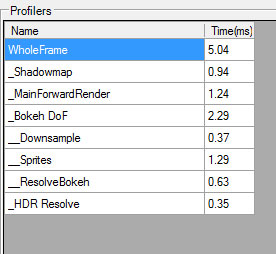
Maybe you have some MSAA bug, maybe your image-based AA works very poorly in motion or maybe your weights for temporal AA are all wrong? Maybe your specular / diffuse AA calculations are improper, or just the implementation has a typo in it? Maybe artist-authored vertex and pixel shaders are introducing some “procedural” aliasing? Maybe you have geometric normals shading aliasing (common techniques like Toksvig work only in normal-map space)? Maybe actually your shadow mapping algorithm is introducing some flickering / temporal instability?

There are tons of other potential problems with aliasing that comes from different sources (well… all the time we are trying to resample some data containing information way above Nyquist frequency), but we need to be sure if it is the source of our problem in given case.

Obviously, doing a proper, reference super-resolution image rendering and resampling it helps here. I would recommend two alternate solutions:

  • True supersampling. This one is definitely the easiest to implement and closest to the ground truth, but usually the memory requirements make the cost prohibitive for higher supersampling factors, so this will be only small help…
  • In-place supersampling. Oldschool technique that can be either image/tile-stitching based (Unreal Engine tiled screenshots) or sub pixel offset based (The Witcher 2 screenshots supersampled in place 256 times! 🙂 ).

I had good experiences with the second one (as it usually works well with blur-based post-effects like bloom), but to get it right don’t forget a small simple trick – apply a negative mip bias (~to log2 supersampling level in one axis) and a geometric LOD bias. This way your mip-mapping will work like if you had much higher screen resolution and you will potentially see some bugs that come from improper LODs. A fact that I find quite amusing – we implemented this for The Witcher 2 as graphic option for future players (we were really proud of graphics in the final game and thought that it would be awesome if your game looked as great in 10years, right? 🙂 ) – but most PC enthusiasts hated us for that! They are used to putting everything to max to test their $3-5k PC setups (and justify the expense), but this option “surprisingly” (even if there was a warning in the menu!) cut their performance for example 4x on the GPU. 😉

Global Illumination

Probably the most controversial one – as very difficult and problematic to implement. I won’t cover here all the potential problems, but implementing reference GI could take weeks and rendering will take seconds / minutes to complete. Your materials could look different. CPU/GPU solutions require completely different implementations.

Still I think it is quite important, because I had endless discussions like “are we getting enough bounced lighting here?”, “this looks too bright / too dark” etc. and honestly – I was never sure of the answer…

This one could be easier for the ones who use Maya/other 3D software as their game editor, but probably will be problematic for all the other ones. Still you could consider doing it step by step – having a simple BVH/kd-Tree and raytracing based AO baker / estimator should be quite easy to write (max couple days), will help you to evaluate your SSAO and larger scale AO algorithms. In future you could extend it to multiple light bounce GI estimator. With PBR and next-gen gaming I think it will be the crucial factor at some point that could really speed-up both your R&D and the final production – as artists used to work in CGI/movies will get the same, proper results in the game engine.

BRDF functions

A perfect example was given by Brian Karis on the last Physically Based Shading at Siggraph 2013 course on the topic of “environment BRDF”. By doing a brute force integration over whole hemisphere and BRDF response to the incoming irradiance from your env map, you can check how it is really supposed to look. I would recommend doing it without any importance sampling as a starting point – because you could also make a mistake or introduce some errors / bias doing so!

Having such reference version it is way easier to check your approximations – you will immediately see what are the edge cases and potential disadvantages of given approximation. Having such mode in your engine you will check if you pick proper mip maps or if you forgot to multiply/divide by some constant coefficient. You will see how much you are losing by ignoring the anisotropic lobe or by decoupling some integration terms. Just do it, it shouldn’t take you more than hours with all the proper testing!

Implementation / usability

Just couple thoughts on how it should be implemented: I think there is quite a big problem of where you want to place your solution on the line where the two extremes are:

  • Ease of implementation
  • Ease of comparison

On one hand, if developing a reference version takes too much time, you are not going to do it. 🙂 The least usable solution is probably still better than no solution – if you will be scared (or not allowed to by your manager) of implementing a reference version because it takes too long to do so, you will not get any benefits.

On the other hand, if switching between versions takes too much time, you need to wait seconds to see some results or even have to manually recompile some shaders or compare versions in Photoshop, the benefits of having a reference version will be also diminished and there could be no point in using it.

Every case is different – probably a reference BRDF integrator will take minutes to write, but reference GI screenshots / live mode can take weeks to complete. Therefore I can only give you the advice to be reasonable about it. 🙂

One thing to think about is having some in-engine or in-editor support/framework that makes the use of referencing of various passes easier. Just look at photo applications like great Adobe Lightroom – you have both a “slider” for the split image modes as well as options to place compared images on different monitors.

There is also a “preview before” button always available. It could be useful for other topics – imagine how having such button for lighting / post-effects settings would make life easier for your lighting artist! One click to compare with what he had 10minutes ago – a great help for answering the classic “am I going in the right direction?” question. Having such tools as a part of your pipeline is probably not immediate thing to develop, you will need help of good tool programmers, but I think it may pay back quite quickly.

Summary

Having a reference version will help you during development and optimization. Ground truth version is an objective reference point – unlike judgement of people that can be biased, subjective or depend on emotional / non-technical factors (see the list of cognitive biases in psychology! An amazing problem that you always need to take into account, not only working with other people, but also alone). Implementing a reference version can take various amount of time (from minutes to weeks) and probably sometimes it is too much work/difficulty to do, so you need to be reasonable about it (especially if you work in a production, non-academic environment), but just keeping it in mind could help you solve some problems or explain them to other people (artists, other programmers).

Posted in Code / Graphics | Tagged , , , | 2 Comments

The future of screenspace reflections

Introduction

The technique was first mentioned by Crytek among some of their improvements (like screenspace raytraced shadows) in their DirectX 11 game update for Crysis 2 [1] and then was mentioned in couple of their presentations, articles and talks. In my free time I implemented some prototype of this technique in CD Projekt’s Red Engine (without any filtering, reprojection and doing a total bruteforce) and results were quite “interesting”, but definitely not useable. Also at that time I was working hard on The Witcher 2 Xbox 360 version, so there was no way I could try to improve it or ship in the game I worked on, so I just forgot about it for a while.

On Sony Devcon 2013 Michal Valient mentioned in his presentation about Killzone: Shadow Fall [2] using screenspace reflections together with localized and global cubemaps as a way to achieve a general-purpose and robust solution for indirect specular and reflectivity and the results (at least on screenshots) were quite amazing.

Since then, more and more games have used it and I was lucky to be working on one – Assassin’s Creed 4: Black Flag. I won’t dig deeply into details here about our exact implementation – to learn them come and see my talk on GDC 2014 or wait for the slides! [7]

Meanwhile I will share some of my experiences with the use of this technique and benefits, limitations and conclusions of my numerous talks with friends at my company, as given increasing popularity of the technique, I find it really weird that nobody seems to share his ideas about it…

The Good

Advantages of screenspace raymarched reflections are quite obvious and they are the reason why so many game developers got interested in it:

  • Technique works with any potential reflector plane (orientation, distance) and every point of the scene being in fact potentially reflective. It works properly with curved surfaces, waves on the water, normal maps and different levels of reflecting surfaces.
  • It is trivial to implement* and integrate into a pipeline. It can be completely isolated piece of code, just couple of post-effect like passes that can be turned on and off at any time making the effect fully scalable for performance considerations.
  • Screenspace reflections provide a great SSAO-like occlusion, but for indirect specular that comes from for example environment cubemaps. It will definitely help you with too shiny objects on edges in shadowed areas.
  • You don’t require almost any CPU cost and potentially long setup of additional render passes. I think this is quite common reason to use this techniques – not all games can manage to spend couple millis on doing a separate culling and rendering pass for reflected objects. Maybe it will change with draw indirect and similar techniques – but still just the geometry processing cost on the GPU can be too much for some games.
  • Every object and material can be reflected at zero cost – you already evaluated the shading.
  • Finally, with deferred lighting being an industry standard, re-lighting or doing a forward pass for classic planar / cube reflectors can be expensive.
  • Cubemaps are baked usually for static sky, lighting and materials / shaders. You can forget about seeing cool sci-fi neons and animated panels or on the other hand your clouds or particle effects being reflected.
  • Usually you apply Fresnel term to your reflections, so highly visible screenspace reflections have a perfect case to be working – most of rays should hit some on-screen information.

We have seen all those benefits in our game. On this two screenshots you can see how screenspace reflections easily enhanced the look of the scene, making objects more grounded and attached to the environment.

AC4 - Screenspace Reflections On

AC4 – Screenspace Reflections On

AC4 - Screenspace Reflections Off

AC4 – Screenspace Reflections Off

One thing worth noting is that in this level – Abstergo Industries – walls had complex animations and emissive shaders on them and it was all perfectly visible in the reflections – no static cubemap could allow us to achieve that futuristic effect.

The Bad

Ok, so this is a perfect technique, right? Nope. The final look in our game is effect of quite long and hard work on tweaking the effect, optimizing it a lot and fighting with various artifacts. It was heavily scene dependent and sometimes it failed completely. Let’s have a look on what can causes those problem.

Limited information

Well, this one is obvious. With all of screenspace based techniques you will miss some information. On screenspace reflections they are caused by three types of missing information:

  • Off-viewport information. Quite trivial and obvious – our rays exit viewport area without hitting anything relevant. With regular in-game FOVs it will often be the case for rays reflected from pixels located near the screen corners and edges.

    Fail case #1 - offscreen information

    Fail case #1 – offscreen information

  • Back or side-facing information. Your huge wall will become 0 pixels is viewed not from the front side and you won’t see it reflected… This will be especially painful for those developing TPP games – your hero won’t be reflected properly in mirrors or windows.

    Fail case #1 - offscreen information

    Fail case #1 – offscreen information

  • Lack of depth complexity. Depth buffer is essentially a heightfield and you need to assume some depth of objects in z-buffer. Depending on this value you will get some rays killed too soon (causing weird “shadowing” under some objects) or too late (missing obvious reflectors). Using planes for intersection tests and normals it can be corrected, but it still will fail in many cases of layered objects – not to mention the fact of lack of color information even if we know about ray collision.

    Fail case #3 - lack of any information behind depth buffer

    Fail case #3 – lack of any information behind depth buffer

Ok, it’s not perfect, but it was to be expected – all of the screenspace based techniques reconstructing 3D information from depth buffer have to fail sometimes. But is it really that bad? Industry accepted SSAO (although I think that right now we should already be transiting to 3D techniques like the one developed for The Last of Us by Michal Iwanicki [3]) and its limitations, so what can be worse about SSRR? Most of objects are non-metals, they have high Fresnel effect and when the reflections are significant and visible, the required information should be somewhere around, right?

The Ugly

If some problems caused by lack of screenspace information were “stationary”, it wouldn’t be that bad. The main issues with it are really ugly.

Flickering.

Blinking holes.

Weird temporal artifacts from characters.

I’ve seen them in videos from Killzone, during the gameplay of Battlefield 4 and obviously I had tons of bug reports on AC4. Ok, where do they come from?

They all come from lack of screenspace information that is changing between frames or changes a lot between adjacent pixels. When objects or camera move, the information available on screen changes. So you will see various noisy artifacts from the variance in normal maps. Ghosting of reflections from moving characters. Suddenly appearing and disappearing whole reflections or parts of them. Aliasing of objects.

Flickering from variance in normal maps

Flickering from variance in normal maps

All of it gets even worse if we take into account the fact that all developers seem to be using partial screen resolution (eg. half res) for this effect. Suddenly even more aliasing is present, more information is not coherent between the frames and we see more intensive flickering.

Flickering from geometric aliasing / undersampling

Flickering from geometric aliasing / undersampling

Obviously programmers are not helpless – we use various temporal reprojection and temporal supersampling techniques [4], (I will definitely write a separate post about them! As we managed to use them for AA and SSAO temporal supersampling) bilateral methods, conservative tests / pre-blurring source image, do the screenspace blur on final reflection surface to simulate glossy reflections, hierarchical upsampling, try to fill the holes using flood-fill algorithms and finally, blend the results with cubemaps.

It all helps a lot and makes the technique shippable – but still the problem is and will always be present… (just due to limited screenspace information).

The future?

Ok, so given those limitations and ugly artifacts/problems, is this technique worthless? Is it just a 2013/2014 trend that will disappear in couple years?

I have no idea. I think that it can be very useful and definitely I will vote for utilizing it in the next projects I will be working on. It never should be the only source of reflections (for example without any localized / parallax corrected cubemaps), but as an additional technique it is still very interesting. Just couple guidelines on how to get best of it:

  • Always use it as an additional technique, augmenting localized and parallax corrected baked or dynamic / semi-dynamic cubemaps. [8] Screenspace reflections will provide an excellent occlusion for those cubemaps and definitely will help to ground dynamic objects in the scene.
  • Be sure to use temporal supersampling / reprojection techniques to smoothen the results. Use blur with varying radius (according to surface roughness)  to help on rough surfaces.
  • Apply proper environment specular function (pre-convolved BRDF) [5] to this stored data – so they match your cubemaps and analytic / direct speculars in energy conservation and intensity and whole scene is coherent, easy to set up and physically correct.
  • Think about limiting the ray range in world space. This will serve as an optimization, but also as some form of safety limits to prevent flickering from objects that are far away (and therefore could have tendency to disappear or alias).

Also some research that is going on right now on topic of SSAO / screen-space GI etc can be applicable here and I would love to hear more feedback in the future about:

  • Caching somehow the scene radiance and geometric information between the frames – so you DO have your missing information.
  • Reconstructing 3D scene for example using voxels from multiple frames’ depth and color buffers – while limiting it in size (eviction of too old and potentially wrong data).
  • Using scene / depth information from additional surfaces – second depth buffer (depth peeling?), shadowmaps or RSMs. It could really help to verify some assumptions we take about for example object thickness that can go wrong (fail case #3).
  • Using lower resolution 3D structures (voxels? lists of spheres? boxes? triangles?) to help guide / accelerate the rays [6] and then precisely detect the final collisions using screenspace information – less guessing will be required and maybe the performance could be even better.

As probably all of you noticed, I deliberately didn’t mention the console performance and exact implementation details on AC4 – for it you should really wait for my GDC 2014 talk. 🙂

Anyway, I’m really interested in other developer findings (especially the ones that already shipped their game with similar technique(s)) and can’t wait for bigger discussion about the problem of handling indirect specular BRDF part, often neglected in academic real-time GI research.

References

[1] http://www.geforce.com/whats-new/articles/crysis-2-directx-11-ultra-upgrade-page-2/

[2] http://www.guerrilla-games.com/presentations/Valient_Killzone_Shadow_Fall_Demo_Postmortem.html

[3] http://miciwan.com/SIGGRAPH2013/Lighting%20Technology%20of%20The%20Last%20Of%20Us.pdf

[4] http://directtovideo.wordpress.com/2012/03/15/get-my-slides-from-gdc2012/

[5] http://blog.selfshadow.com/publications/s2013-shading-course/

[6] http://directtovideo.wordpress.com/2013/05/08/real-time-ray-tracing-part-2/

[7] http://schedule.gdconf.com/session-id/826051

[8] http://seblagarde.wordpress.com/2012/11/28/siggraph-2012-talk/

Posted in Code / Graphics | Tagged , , , , , , | 5 Comments

On pursuit of (good) free mathematics toolbox

Introduction

Mathematics are essential part of (almost?) any game programmers work. It was always especially important in work of graphics programmers – all this lovely linear algebra and analytic geometry! – but with more powerful hardware and more advanced GPU rendering pipelines it becomes more and more complex. 4×4 matrices and transformations can be trivially simplified by hand and using a notebook as a main tool, but recently, especially with physically based shading becoming an industry standard we need to deal with integrals, curve-fitting and various functions approximations.

Lots of this is because of trying to fit complex analytical models or real captured data. Doesn’t matter if you look at rendering equation and BRDFs, atmospheric scattering or some global illumination – you need to deal with complex underlying mathematics and learn to simplify them – to make it run with decent performance or to help your artists. Doing so you cannot introduce visible errors or inconsistency.

However understanding maths is not enough – getting results quickly, visualizing them and being able to share with other programmers is just as important – and for this good tools are essential.

Mathematica

Mathematica is an awesome mathematics package from Wolfram and is becoming an industry standard for graphics programmers. We use it at work, some programmers exchange and publish their Mathematica notebooks (for example last year’s Siggraph course “Physically Based Shading” downloadable material includes some). Recently there was an excellent post on #AltDevBlog by Angelo Pesce on Mathematica usage and it definitely can help you get into using this awesome tool.

However, rest of this post is not going to be about Mathematica. Why not stick with it as a main toolbox? There are couple reasons:

  • While this is a great tool and if you work in a decent company you probably can get a licence, it is not free… So lots of people (including me) will look for some free alternatives for their personal use – for example at home or in travel.
  • Mathematica syntax can get some time to learn and get used to. I don’t use it daily and every time I do, I have to check “how to do x/y”. Some other languages can be more programmer-friendly – especially if you use them for other purposes.
  • Finally, using it for anything other than pure mathematics is not an easy and common thing. You cannot quickly find or write a tool that will load data from obscure file format, interface it with network (to fetch data from internet database) or do something else with generated data.

Use a programming languages?

For various smaller personal tasks that are not performance-critical like scripting, quickly prototyping or even demonstrating algorithms I always loved “modern” or scripting languages. I find myself coding often in C#/.NET, but just the project setup for some smallest tasks can be consuming too much time relative to the time spent solving problems. Since couple years I used Python on several occasions and always really enjoyed it. Very readable, compact and self-contained code in 1 file were a big advantage for me – just like great libraries (there is even OpenCL / CUDA Python support) or language-level support for basic collections. So I started to check for options of using Python as mathematics and scientific toolset and viola – Numpy and Scipy!

NumPy and SciPy

So what are those packages?

NumPy is a linear algebra package implemented mostly in native code. It supports n-dimensional arrays and matrices, various mathematical functions and some useful sub-packages as for example random number generators. It’s functionality is quite comparable to pure Matlab or open-source GNU Octave (which I used extensively during university studies and it worked quite ok). Due to native-code implementation, it is orders of magnitude faster than the same functions implemented in Python. Python serves only as glue code to tie everything together – load the data, define functions and algorithms etc. So this way we keep simplicity and readability of Python code and performance of native-written applications. As NumPy releases the Python’s GIL (global interpreter lock), its code is very easily parallelizable and can be multi-threaded.

Just NumPy allowed me to save some time, but its capabilities are limited comparing to full Matlab or Mathematica. It doesn’t even have plotting functions… That’s where the SciPy comes into play. This is a fully featured mathematical and scientific package, containing everything from optimization (finding function extremes), numerical integration, curve-fitting, k-means algorithms, to data mining and clustering methods… Just check it out on official page or wikipedia. It also comes with nice plotting library Matplotlib, which handles multiple types of plots, 2D, 3D etc. Using numpy and scipy I have almost everything I really need.

My setup

One of quite big disadvantages of Python environment, especially on Windows is quite terrible installation, setup and packaging. Downloading tons of installers, hundreds of conflicting versions and lack of automatic update. Linux (and probably Mac?) users are way more lucky, automatic packaging systems solve most of problems.

That’s why I use (and recommend to everyone) WinPython package. It is a portable distribution, you can use it right away without installing. Getting a new version is just downloading the new package. If you want, you can “register” it in Windows as a regular Python distribution, recognized by other packages. It has not only Python distribution – but also some package management system, editors, better shells (useful especially for non-programmers who want to use it in interactive command line style) and most importantly all interesting packages! Just download it, unpack it, register it with windows in “control panel” exe, maybe add to system env PATH and you can start your work.

I usuallly don’t use the text editor and shell that comes with it. Don’t get me wrong – Spyder is quite decent, it has support for debugging and allows you to work without even setting any directories/paths in system. However as I mentioned previously, one of my motivations for looking for some other environment than Mathematica was possibility to have one env for “everything” and running and learning yet another app doesn’t satisfy those conditions.

Instead I use a general-purpose text editor Sublime Text that I was recommended by a friend and I just love it. This is definitely the best and easiest programmers text editor I have used so far – and it has some basic “Intellisense-like” features, syntax coloring for almost any language, build-system features, projects, package manager, tons of plugins and you can do everything using either your mouse or keyboard. It looks great on every platform and is very user friendly (so don’t try to convert me, vim users! 😉 ). Trial is unlimited and free, so give it a try or just check out its programmer-oriented text-editing features on website – and if you like it, buy the licence.

So basically to write a new script I just create new tab in Sublime Text which I have always opened, write code (which almost always ends up in 10-100 lines for simple math related tasks), save it in my draft folder with .py extension, press ctrl+b and get it running – definitely the workflow I was looking for. 🙂

Main limitation (?) and final words

One quite serious limitation for various graphics-related work is lack of symbolic analysis comparable to Mathematica in NumPy/SciPy. We are very often interested in finding integrals and then simplifying them under some assumptions. There is one package and one tool in Python to help in those tasks, sympy is even part of SciPy and WinPython package – but I’ll be honest – I haven’t used them, so cannot really say anything more… If I will have any experience with them, I will probably write a follow-up post. For the time being I still stick with Mathematica as definitely the best toolset for symbolic analysis.

To demonstrate usage of Python in computer-graphics related mathematical analysis, I will try to back up some of my future posts with simple Python scripts and I hope this will help at least some of you.

References

[1] http://www.wolfram.com/mathematica/

[2] http://blog.selfshadow.com/publications/s2013-shading-course/

[3] http://www.altdevblogaday.com/2013/10/07/wolframs-mathematica-101/

[4] http://c0de517e.blogspot.ca/

[5] http://www.numpy.org/

[6] http://www.gnu.org/software/octave/

[7] http://scipy.org/

[8] http://en.wikipedia.org/wiki/SciPy#The_SciPy_Library.2FPackage

[9] http://winpython.sourceforge.net/

[10] http://sourceforge.net/p/winpython/wiki/PackageIndex_33/

[11] http://www.sublimetext.com/

[12] https://github.com/sympy/sympy/wiki/SymPy-vs.-Sage

Posted in Code / Graphics | Tagged , , , , , | 1 Comment

My first visit to Cuba

Welcome

My first post is going to be more of a post just for myself – my practice with the wordpress and its layouts. To be honest I never did have a blog of any kind (well, except for a “homepage” in early 00’s – with obligatory guestbook written in php, hobbies, ugly hover images for buttons etc. – but who didn’t own one at that time? 🙂 ), so I’m really inexperienced in that field and the beginning can be rough – especially that I was thinking about starting one for quite a long time.

That’s why I start from something relatively easy – just couple thoughts and a small gallery from my vacations – not much text for you to read or me to write, just lots of settings to fight with.

Some background

I got to visit Cuba for winter holidays 2013 – after just having shipped Assassin’s Creed 4: Black Flag two months ago. For everyone who doesn’t know the game (check it out!) – it takes place during the “golden age of piracy” in various cities and villages set in Caribbean Sea, including Spanish-era Cuban Havana. So I spent over a year of my life (after joining Ubisoft Montreal) trying to help to create technology to depict realistically something I got to see in real life afterwards – which I find quite ironic. 🙂

Anyway, the visit itself was really interesting experience. I won’t bore you to death with something that you can find way more competent people writing about. But personally I found travelling through this island interesting due to three aspects.

First of all, I was really surprised by similarities it bears with early 90’s Eastern Europe and Poland in particular (where I come from) and in general its communistic architecture, social structure or commercial organisation that was still present in European post-communistic period. Even some cars like old Fiat 125/126p or Ladas are the ones that were a common dream of 70s/80s Polish family – that’s not something you can read about in travel guides written for English-speaking people. And looking how country dynamically changes I think that it will probably fade away in couple years, so if I think it’s worth hurrying up to still “experience” it.

Secondly, I expected architectural and cultural variety, but still it was an amazing experience – colonialism and Spanish era, African influences, native Caribbean culture, modernism and art-deco, revolution and Soviet-bloc influences… all create really unique and vivid mixture that you want to immerse in.

Last but not least and from the perspective of a graphics programmer I was pleasantly surprised by variety of landscapes (from jungles that you travel through in Russian old trucks, sandy beautiful beaches, rocky mountains full of extremely dense foliage to colourful colonial towns) and weather changes. I am quite proud how Ubisoft teams (scattered around the world) captured it accurately – for 6 platforms, even for older consoles (and developing a launch title for next generation consoles!) and without any physically-based or even HDR/gamma-correct lighting pipeline. I think that all of our artists did really great job and the art direction was really accurate.

Photos

Just a couple of photos from my vacations. It was visually really inspiring experience, so I hope you will enjoy some of those and maybe it will inspire you as well.


Posted in Travel / Photography | Tagged , , , , , | 1 Comment